Wiki / Automation & activity

Activity

kustos · your server
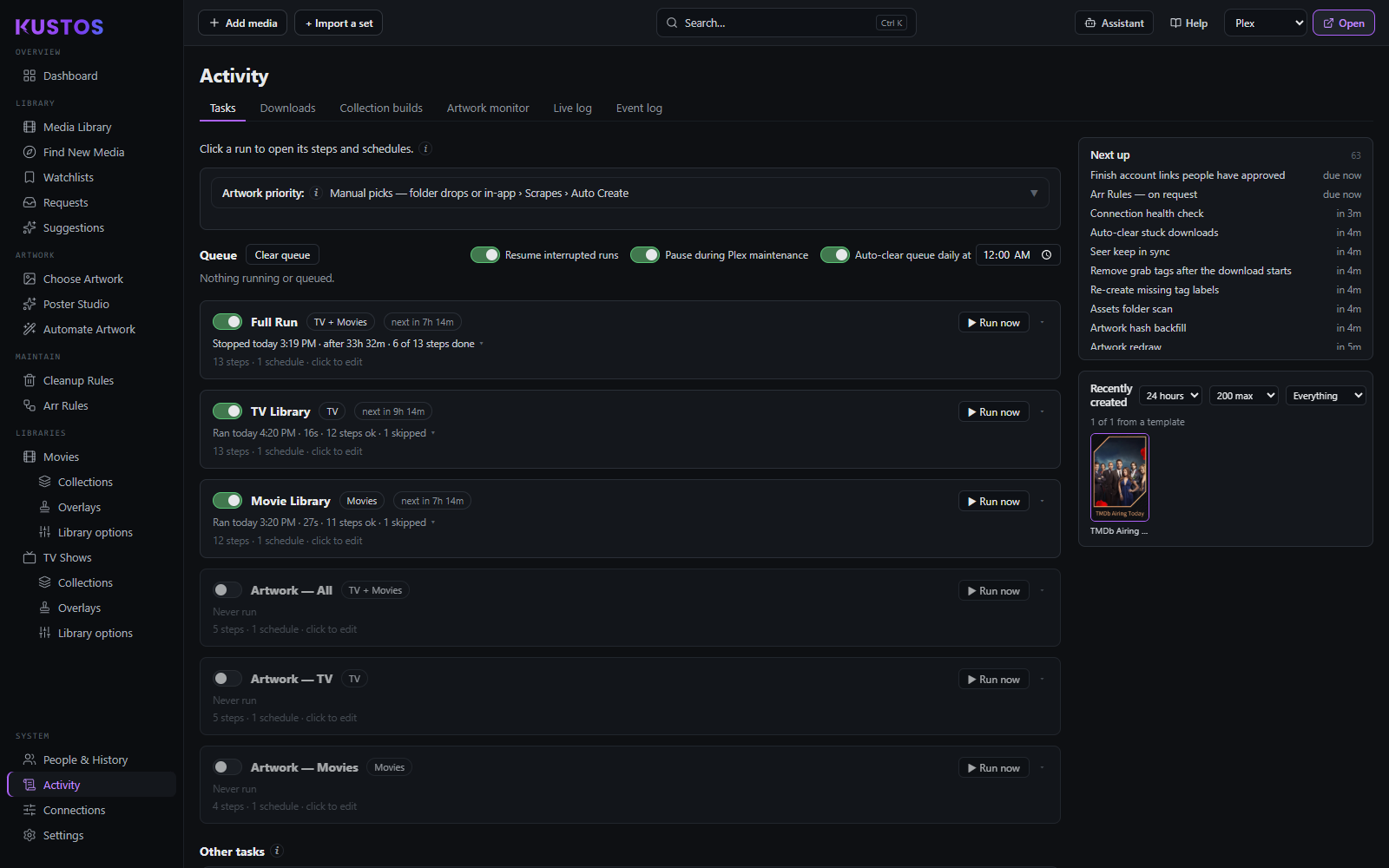
Activity → Tasks: each run card has its on switch, its next scheduled time and what its last pass did (here, 12 steps ok and 1 skipped), with Run now on the right
Activity → Tasks: each run card has its on switch, its next scheduled time and what its last pass did (here, 12 steps ok and 1 skipped), with Run now on the right. The Artwork runs are off and have never run, as they ship. Across the top, the queue switches set whether interrupted runs resume and when stuck items are cleared; Next up, down the right, lists what is due and in how long.

What Kustos did, is doing, and will do. Tabs:

TabWhat it shows
RunsThe scheduling control (see below) — ordered pipelines and the individual steps they chain.
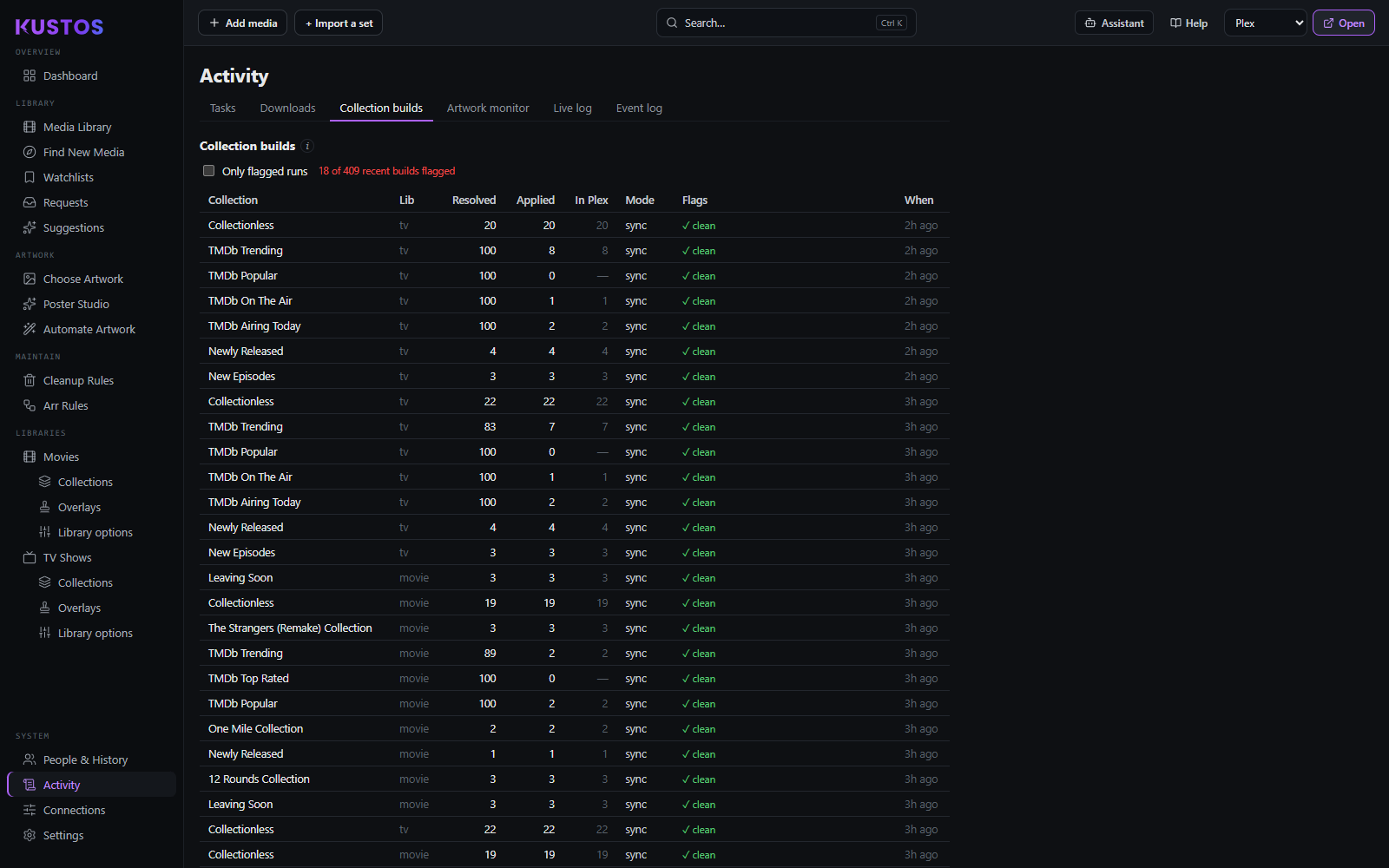
Collection buildsPer-build results, including a read-back verdict against Plex: Applied (what Kustos wrote) vs In Plex (what a read-back found), with plex short, source failed, incomplete read and add-only states. Untrusted runs never delete members. Kept 60 days.
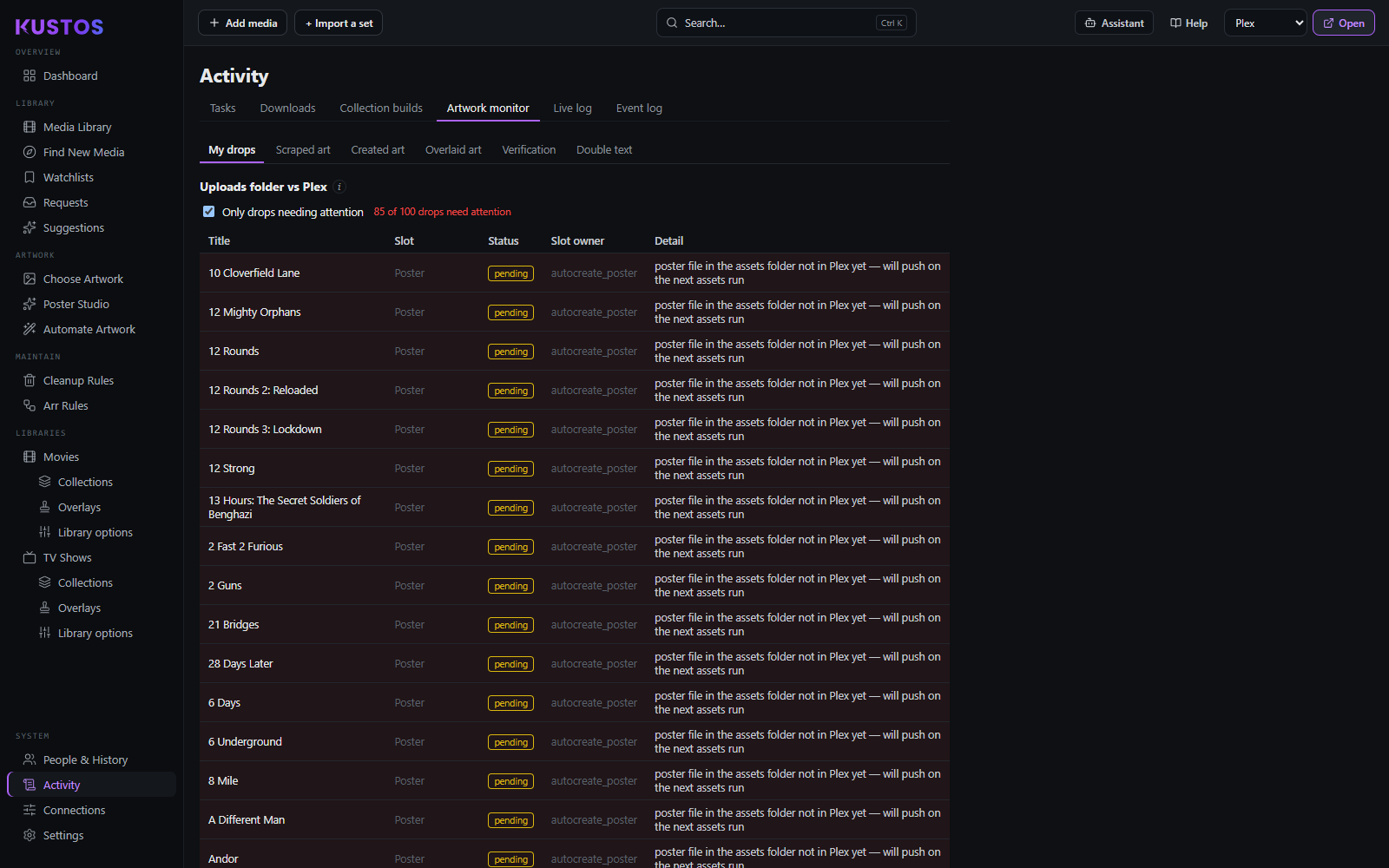
Artwork monitorEvery drop that wins its slot by priority, checked against what Plex actually shows: ok, reverted (Plex went back to agent art), missing (empty slot), pending (not pushed yet), outranked (a higher-priority source owns it). Live Plex reads every 2 minutes; kept 60 days.
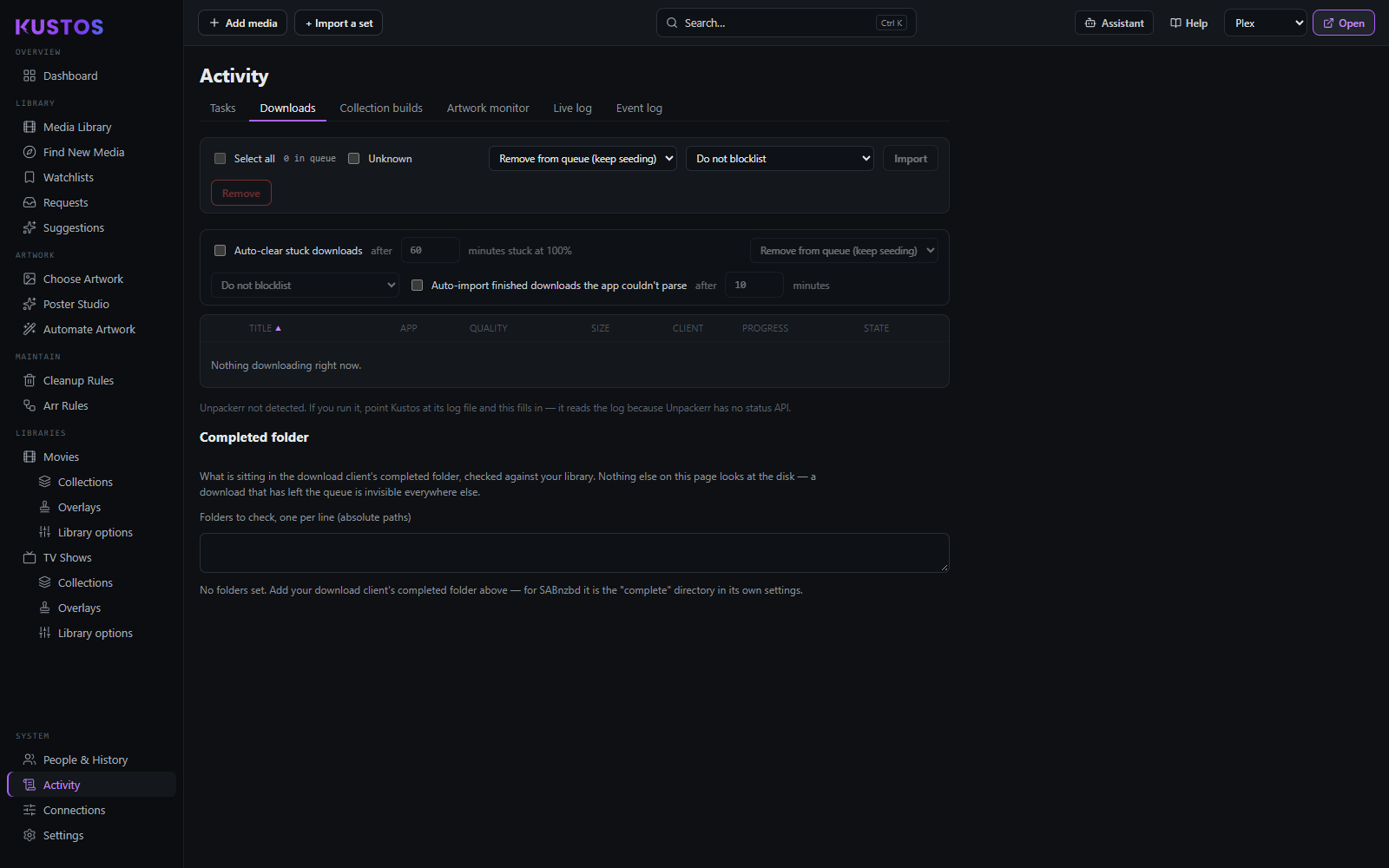
DownloadsThe Sonarr/Radarr download queue, with bulk remove and import.
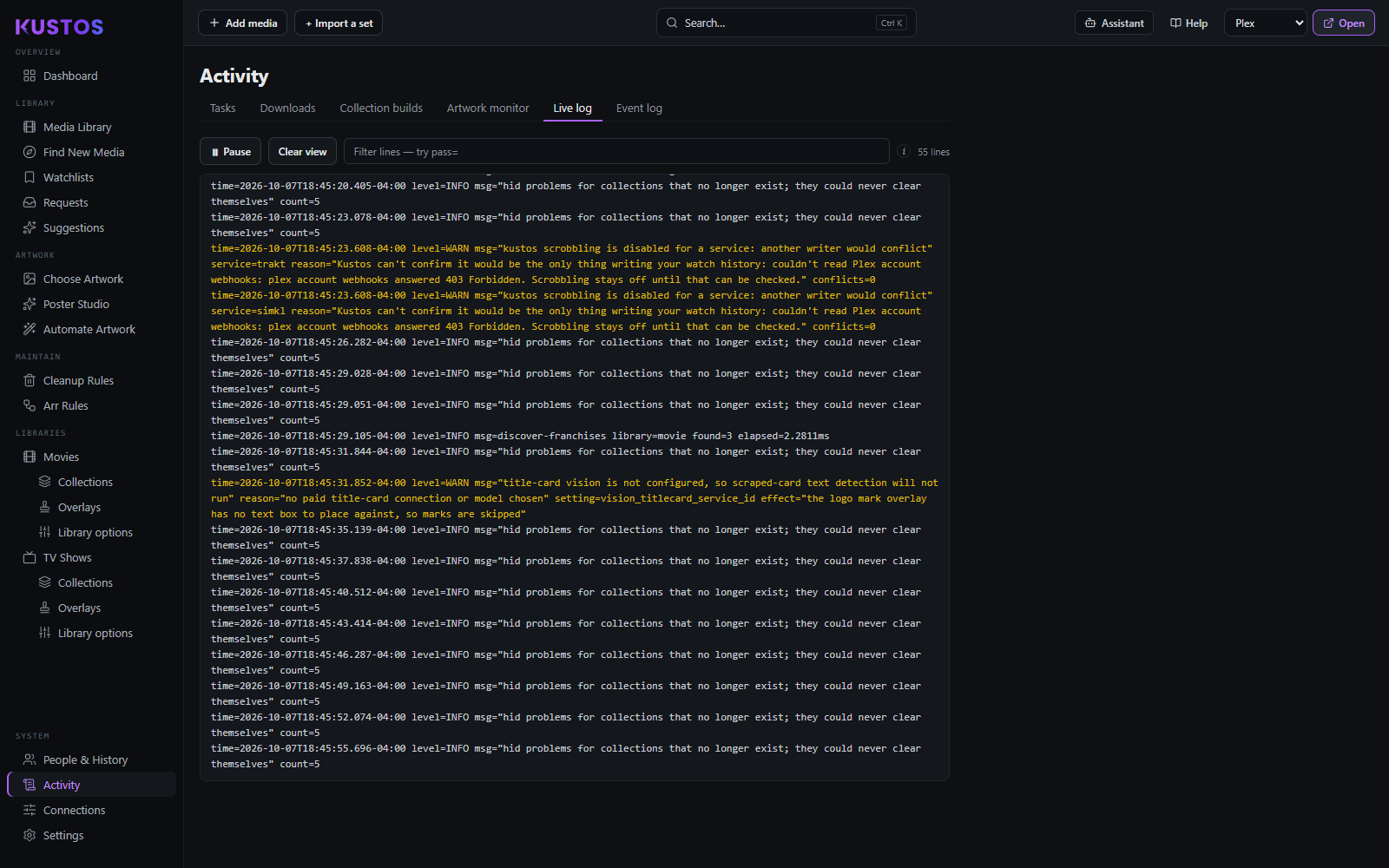
Live logThe running console output, tailed.
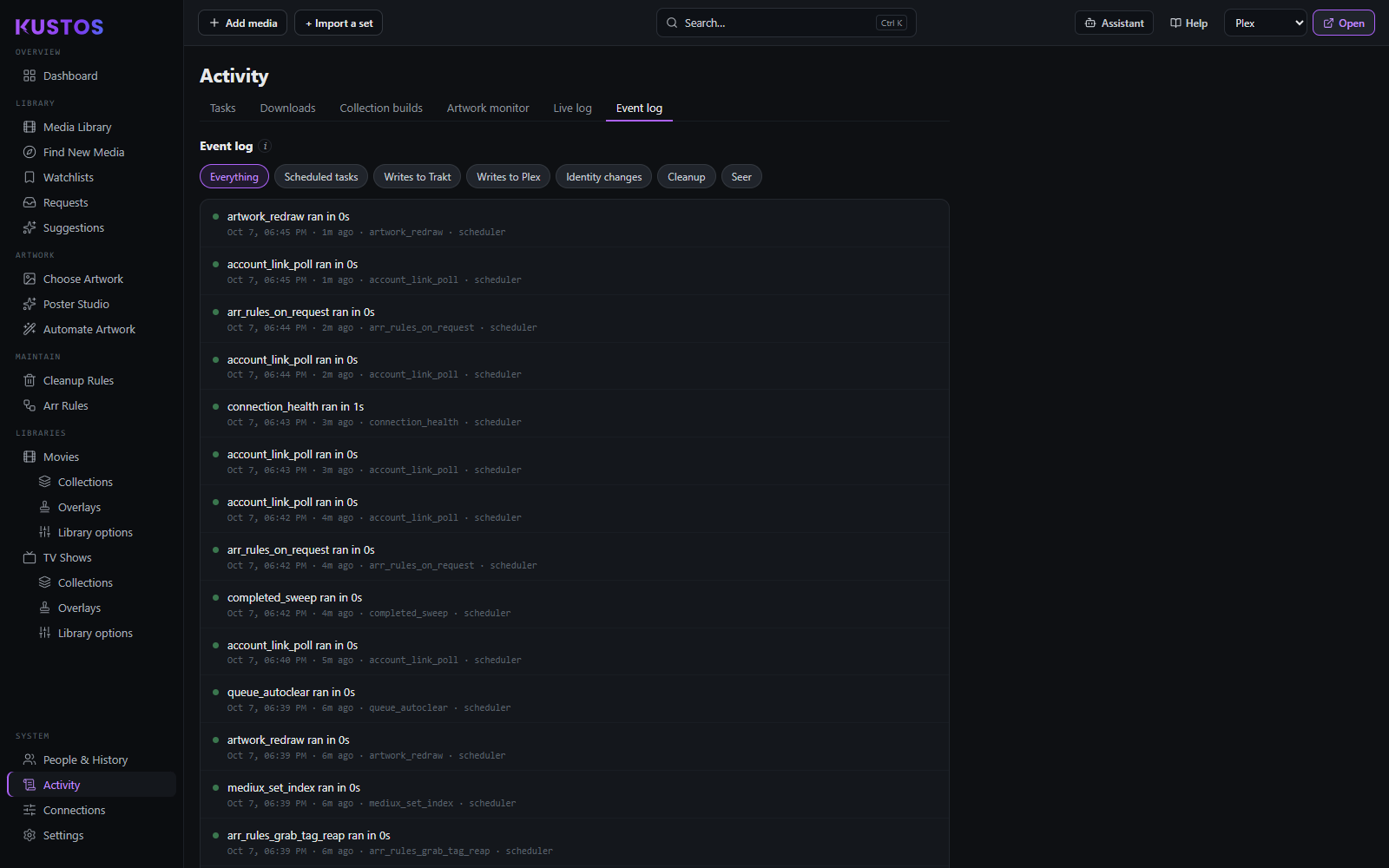
Event logScheduled runs, writes to Plex and Trakt, identity changes and cleanup decisions. Kept indefinitely; nothing trims it yet. Filterable: Everything · Scheduled tasks · Writes to Trakt · Writes to Plex · Identity changes · Cleanup. A record, not a control panel — nothing here can be edited or deleted.
kustos · your server
Activity → Downloads with nothing downloading
Activity → Downloads with nothing downloading. Remove and blocklist actions for the queue sit at the top; below them, the auto-clear settings for downloads stuck at 100% and for finished downloads the app couldn't parse.
kustos · your server
Collection builds: read Resolved, Applied and In Plex side by side for each build
Collection builds: read Resolved, Applied and In Plex side by side for each build. In Plex is the read-back, and Flags says clean when they agree. "Only flagged runs" at the top narrows the list to the builds that need a look.
kustos · your server
The artwork monitor on My drops
The artwork monitor on My drops. Each row is one drop: its slot, its status, which job owns the slot, and a plain-language detail (here, posters in the assets folder waiting for the next assets run). The tabs above split your drops from scraped, created and overlaid art, and Verification holds what Plex gave back.
kustos · your server
The event log
The event log. The chips across the top filter it by kind of change: scheduled tasks, writes to Trakt or Plex, identity changes, cleanup, Seerr. Each entry says what ran, how long it took, when, and what triggered it.
kustos · your server
The live log
The live log. Each line carries its time, level and message; WARN lines show in yellow and say why something is off (here, why scrobbling stays disabled and why title-card text detection is skipped). The line count and filter box sit above, and Pause holds the view while it keeps collecting.