



Seerr
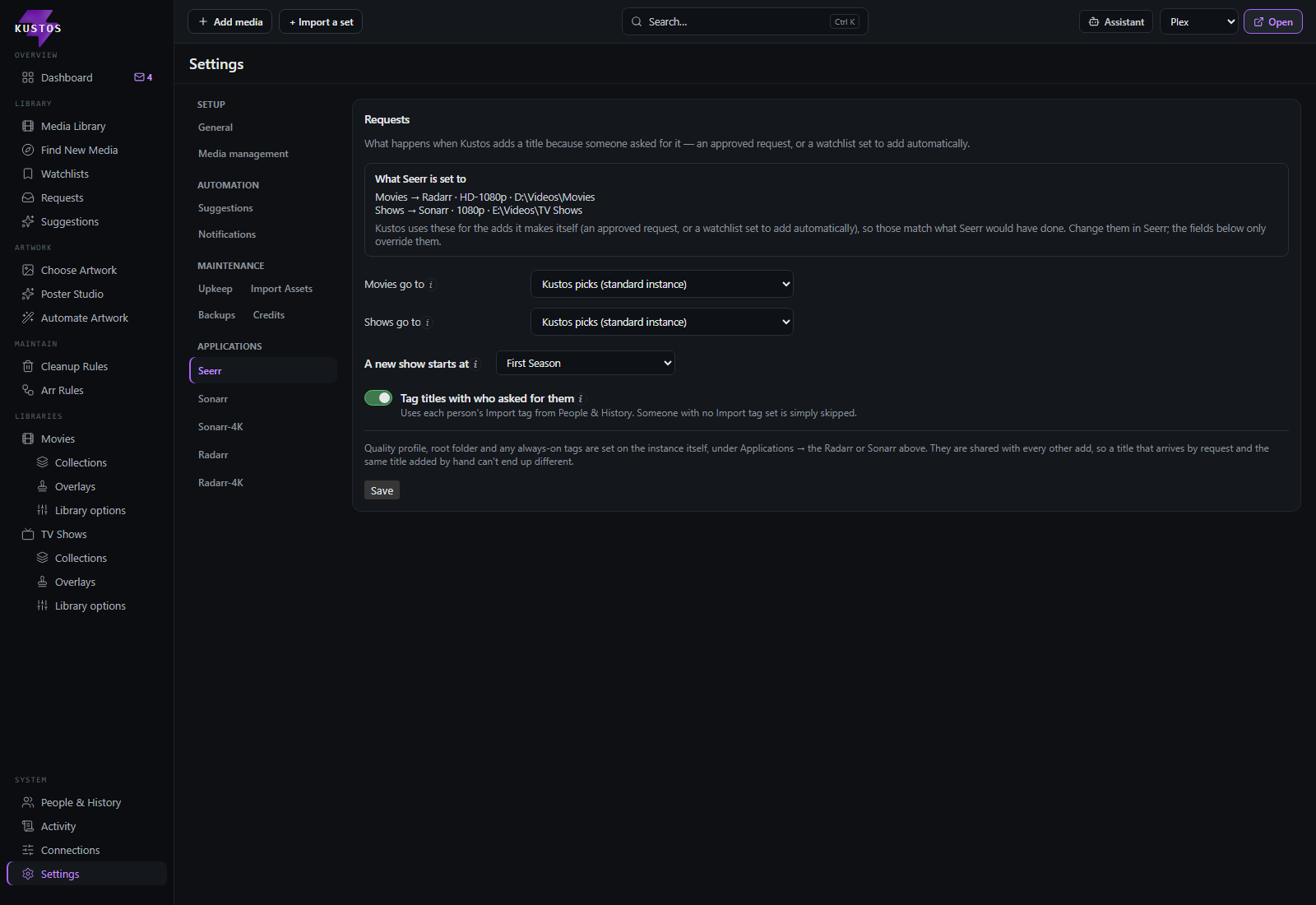
Overseerr / Jellyseerr integration.
| Setting | What it does |
|---|---|
| Movies go to | Which Radarr an approved movie request is added to. Worth setting deliberately on a two-instance setup: before this existed, a request landed on whichever Radarr resolved first, which was never a decision anybody made. |
| Shows go to | Which Sonarr an approved TV request is added to. |
| A new show starts at | How much of a show is monitored when a TV request is approved. A watchlist add says "I want this show" and nothing about seasons — Seerr can ask its requester to pick, a watchlist cannot — so this is the answer for all of them. Leave it at Whatever the instance adds with to inherit the instance default. |
| Tag titles with who asked for them | Applies that person's Import tag, set on their People card, so the title can be traced back to who wanted it. Somebody with no Import tag is simply skipped. Media management shows a pointer to this switch rather than a copy. |
"A new show starts at" applies once, at add time. Nothing re-applies it later, so new seasons are still picked up normally as they air. That is deliberate: a rule that kept re-asserting a mode like First season would unmonitor each new season the moment it arrived.
Quality profile, root folder and always-on tags are not on this screen. They are set on the instance itself, under Applications → the Radarr or Sonarr. They are shared with every other add, so a title that arrives by request and the same title added by hand cannot end up different.
Kustos and Seerr are two intakes by design — Kustos's own watchlist-driven requests and Seerr's request form both exist, and the Seerr sync stays on. That is a settled decision, not an oversight.