



Arr Rules
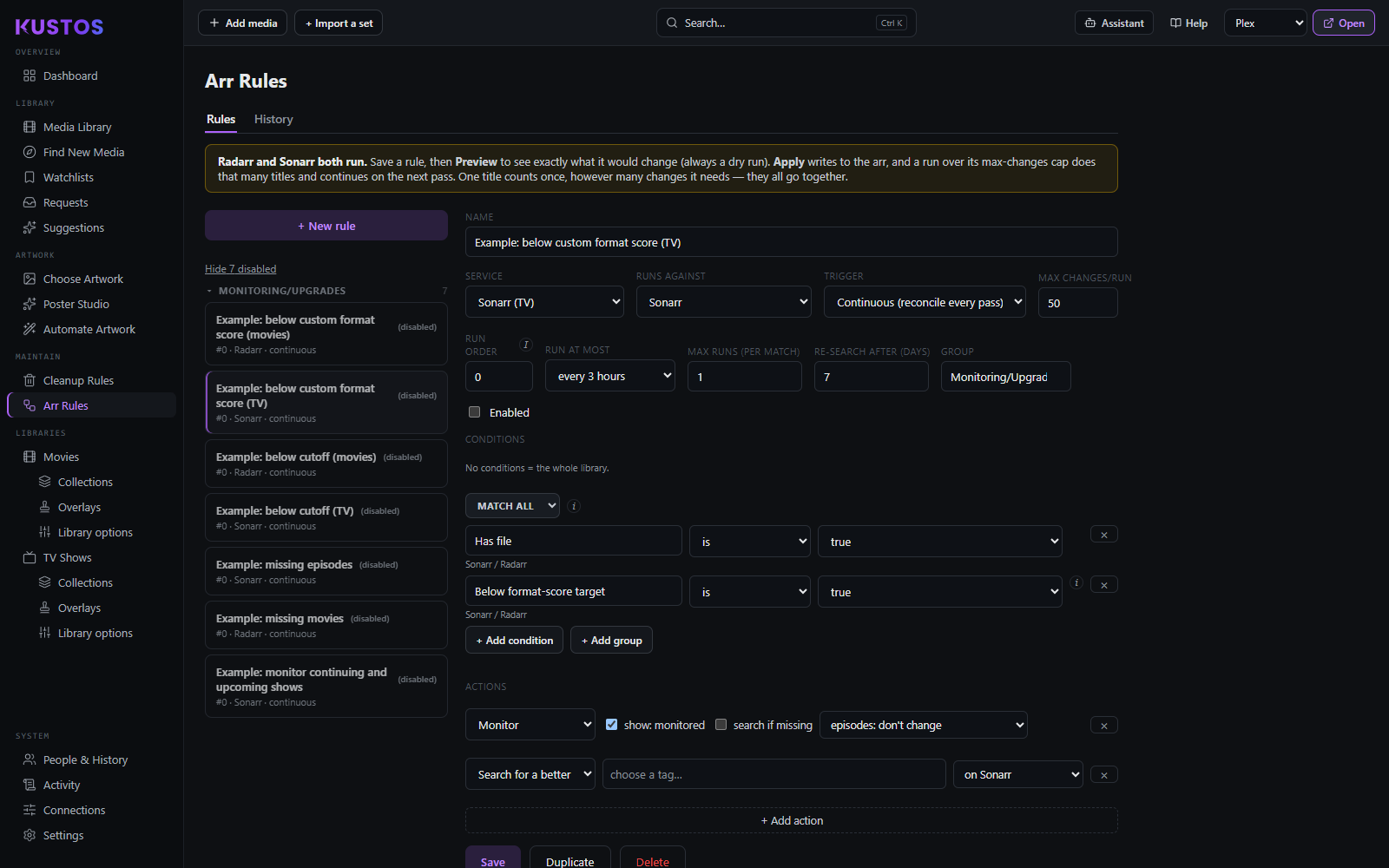
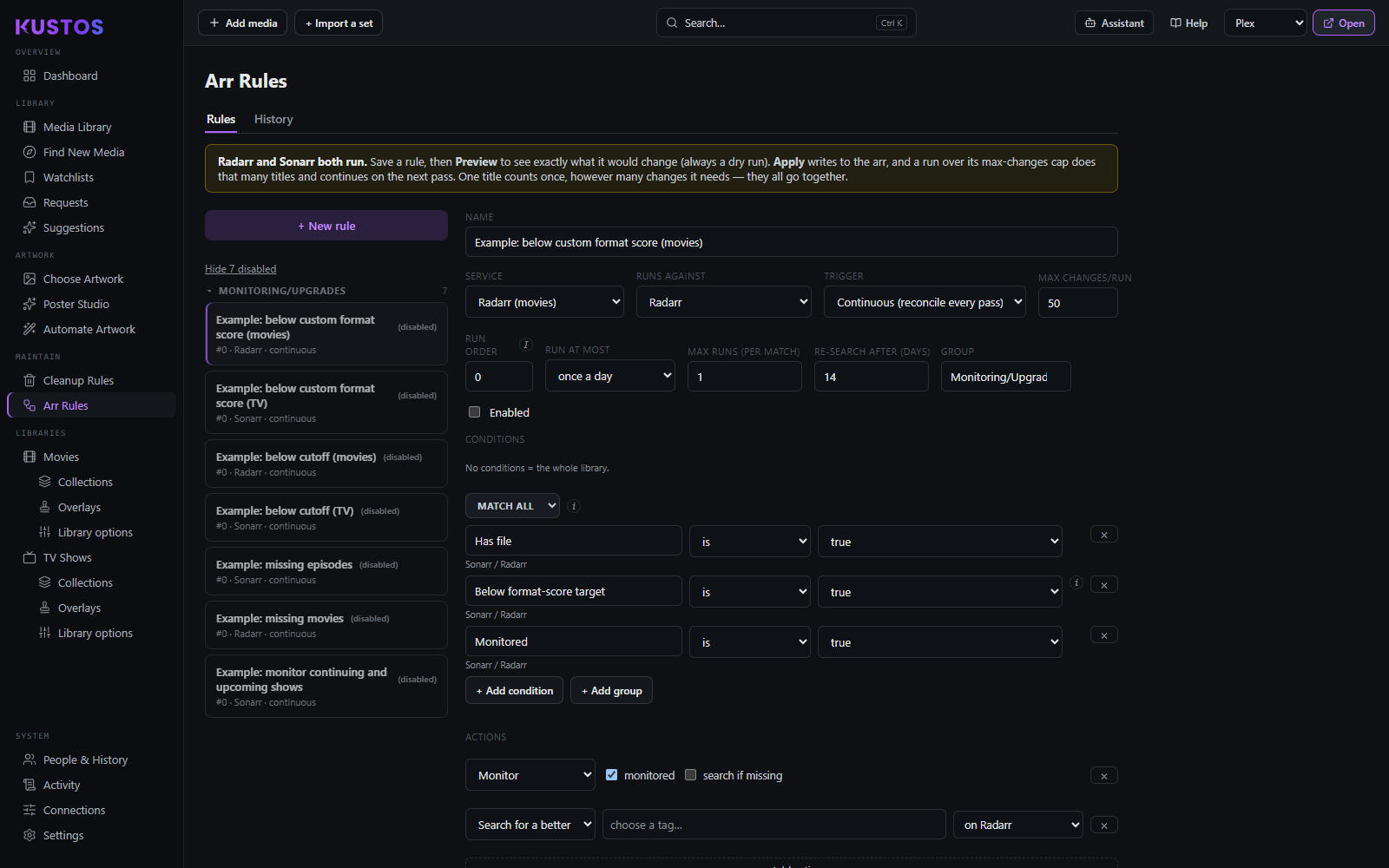
Desired-state rules for Sonarr and Radarr: conditions → *arr actions, kept continuously true, so they catch titles however they arrived.
Unlike an *arr's own auto-tagging, tag removal here is surgical: a rule only touches the tag it names, never your collection or user tags.
Conditions (grouped in the UI)
| Group | Examples |
|---|---|
| Sonarr / Radarr | Tag, quality profile, below quality cutoff, below format-score target, custom format score, genre, monitored, has file, year, release age, title, studio/network, status, series type, runtime, certification, original language, rating, size on disk, season count, root folder, added N days ago |
| Kustos — collections | Kustos collection, Collection (TMDB), is in a TMDB collection |
| TMDB | Keyword |
| Kustos — watch | Watched by, in progress for, season watched by, season in progress for |
| Indexers (Prowlarr) | Available in 4K / 1080p; first unwatched season available in 4K / 1080p; the season someone is up to, or mid-way through |
| Kustos — requests | Requested by anyone / by a user, outstanding request, pending request |
| Other | Already on another instance |
Actions
- Monitor — flips the monitored flag; optionally search if missing. On Sonarr, show: and episodes: are separate flags: a monitored show with no monitored episodes looks right in Sonarr and grabs nothing. A whole-season search can ask for the season so a season pack is among the candidates.
- Search for a better release
- Add tag (append) (adds, never removes) / Add tag (sync) (adds to matches, lifts from titles that stop matching) / Remove tag / Tag for the grab, then remove it
- Set quality profile
- Add the rest of a collection (movies) / set collection monitoring
- Add to another instance — e.g. promote to a 4K Sonarr/Radarr
- Add Plex label (append) / Add Plex label (sync) — writes a label onto the title in Plex. Sync also lifts the label from titles that stop matching.
- Remove from Radarr — movies only, and the one action here that cannot be undone. By default it removes only the library entry and keeps the media files; a separate switch makes it delete them as well, and the preview says which it will do in those words. It can also add a Radarr exclusion so the title is not re-added by a list. This is the only way an Arr Rule touches a file on disk.
- Sync tags with another instance — append (add only), mirror (add + remove), or "don't push, only un-mark"; plus what to do when the other instance doesn't hold the title at all
- Approve request (on request-triggered rules only) — the profile and tags above are applied first, then the request is approved. This only fires on a request that is still PENDING. If your Seerr auto-approves — which it does for admins, and that is not a permission you can drop — Kustos never sees a pending request and this action never runs. The rest of an on-request rule still works: those rules also run on the periodic sweep and act on the *arr item instead, just not at the moment of the request.
Preview and Apply. Preview is always a dry run. A new rule starts disabled, and its first Apply acts for real, so read its Preview first. A run over its max-changes cap is not refused: it applies the first N and leaves the rest for the next pass, so a big rule drains over several runs instead of stopping dead. Apply all N in one pass is there if you want it done at once.
Ordering matters for cost. Conditions stop at the first failure, so put cheap checks first and slow ones (indexer searches via Prowlarr) last. An unreadable instance reports unsupported rather than guessing "not there" — guessing would release the whole library at once.
Rate limits. A searching rule can cap how many times it may act on the same title, and how long it remembers that it already searched one. 0 = no limit, which re-searches every sweep forever for anything that never turns up.