



Wiki / Setup — connections & keys
Fanart.tv
What it is for. Logos, clearart and the transparent title treatments Poster Studio composites with. If your posters come out with no logo on them, this is usually the missing key.
Cost. A personal key is free. The paid tier only buys you faster access to images uploaded in the last two weeks, which almost never matters for a home library.
First, make a free account at fanart.tv. Once you are signed in:
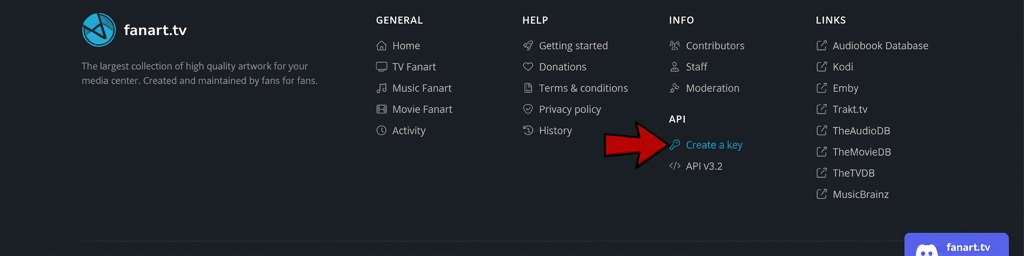
- Scroll to the footer and follow API → Create a key.
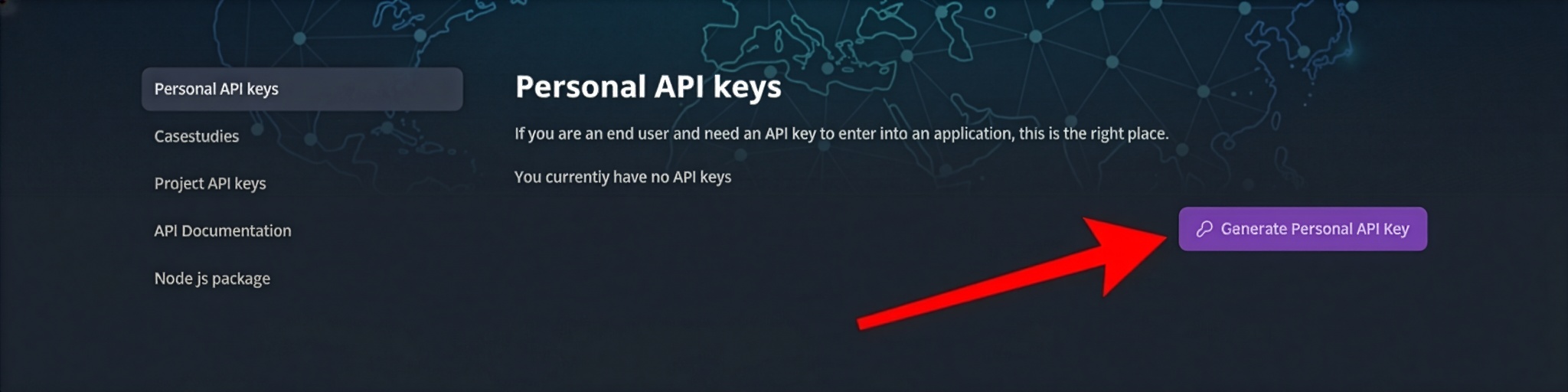
- On Personal API keys, press Generate Personal API Key.
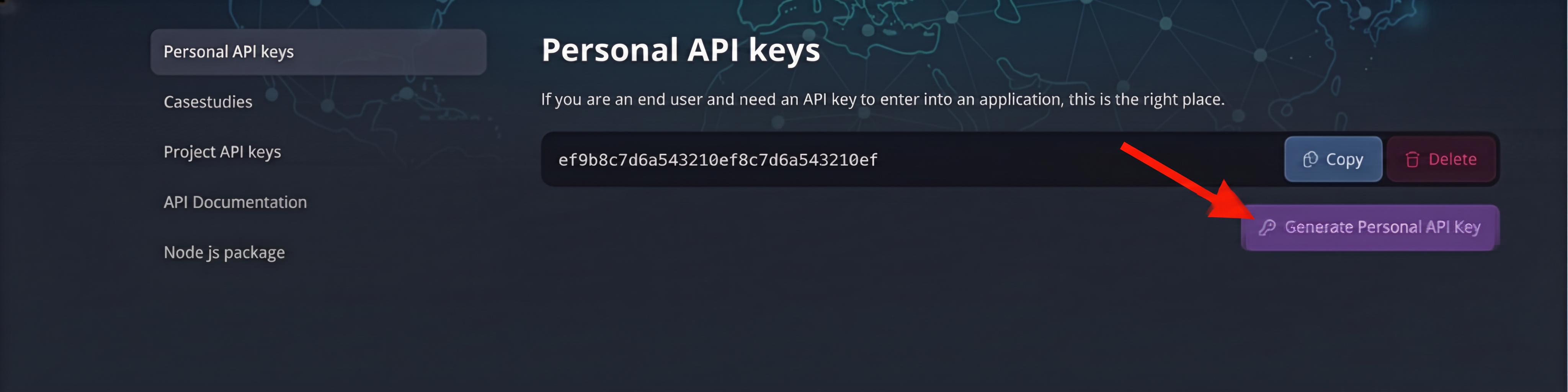
- Copy the key it generates.
- In Kustos, Connections → Fanart.tv, paste it, and press Save.
Do not paste a project key. Fanart.tv issues project keys and personal keys from two different pages in that same list; Kustos wants the personal one.