



Wiki / Artwork
Import Assets
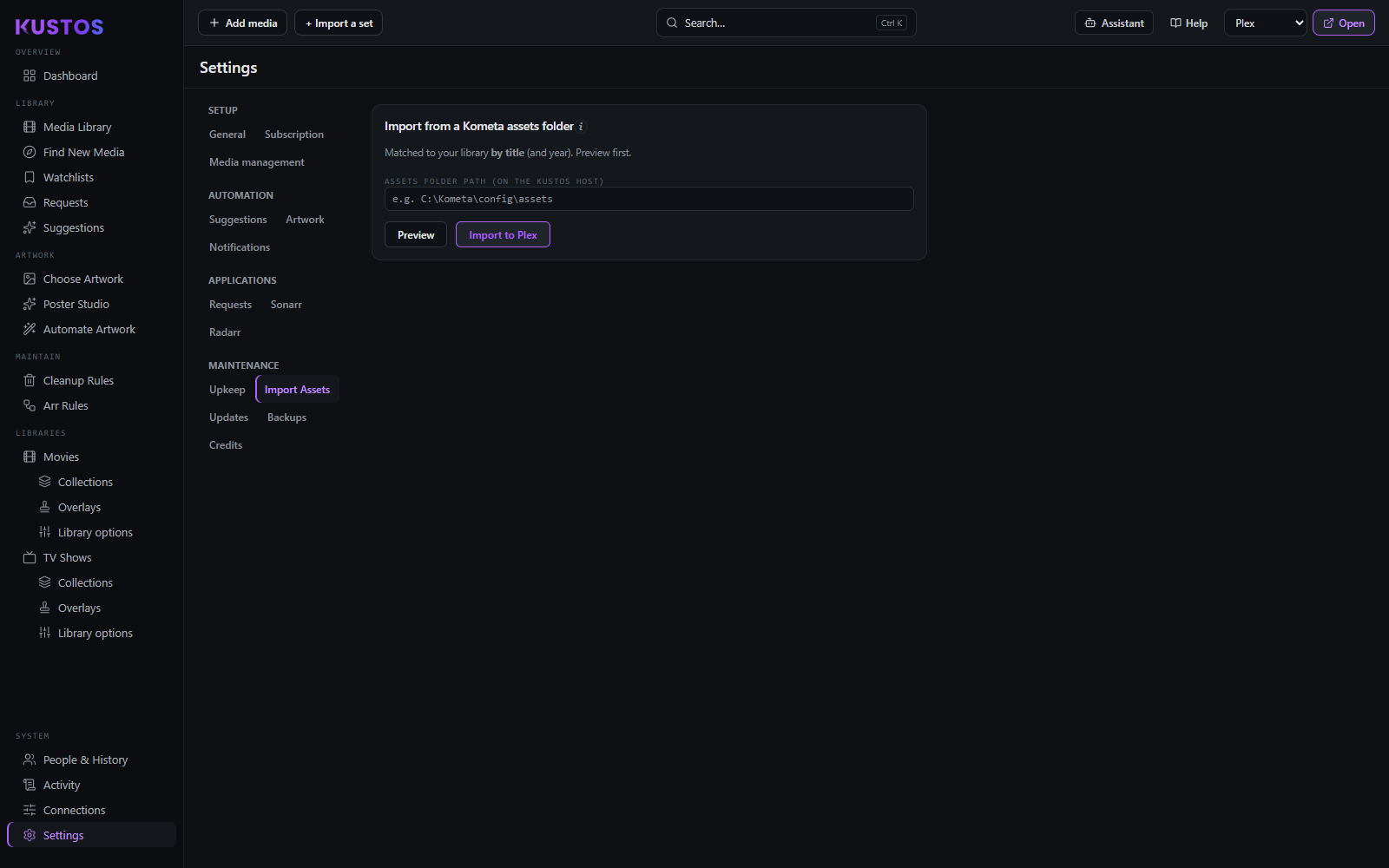
Imports an existing Kometa install: YAML config, assets folder, overlays and posters.
The import copies files in once, after which they are ordinary folder assets owned by you — it is not a live link to the Kometa tree, and Kometa changing afterwards does not change Kustos. Progress and completeness are reported as it runs, so a partial import is visible rather than silent.
Imported artwork is treated as a manual act, which means it takes the manual rank in the artwork priority and no automatic system will overwrite it.
Importing a Kometa assets folder
- Find the path on the machine Kustos runs on. It is the path Kustos has to reach, not the path you use from your desktop — typically something like C:\Kometa\config\assets. A network share Kustos cannot see will find nothing.
- Paste it in and press Preview. Nothing is written. Kustos walks the standard nested layout — assets/TV Shows/Series (Year)/ and assets/Movies/Movie (Year)/ — reading poster, background and SeasonNN images in .jpg, .jpeg, .png or .webp.
- Read the matched and unmatched split. This is the step worth slowing down for. The result gives you folders scanned, matched, and unmatched, with both lists expandable. Matching is by title and year. A {tmdb-…} or {tvdb-…} tag on a folder is used first where it exists, for extra precision, but it is not required. Yearless collection folders are matched against your collections.
- Fix what is unmatched, if it matters. Unmatched usually means the folder name and your library disagree about the title or the year. Rename the folder, or add a {tmdb-…} tag to it, and preview again. You can also simply proceed and accept that those titles are skipped.
- Import to Plex. It confirms first, naming how many matched titles it is about to import. Only matched titles are imported.
- Check the worklist. The import is recorded in Kustos as well as written to Plex, so imported titles stop showing as "needs artwork" — which is how you tell the import took rather than merely ran.
This is a one-time copy, not a link. After it, the files are ordinary folder assets owned by you. Kometa changing afterwards changes nothing here, and you can run the import again later for anything new.