



Task scheduling
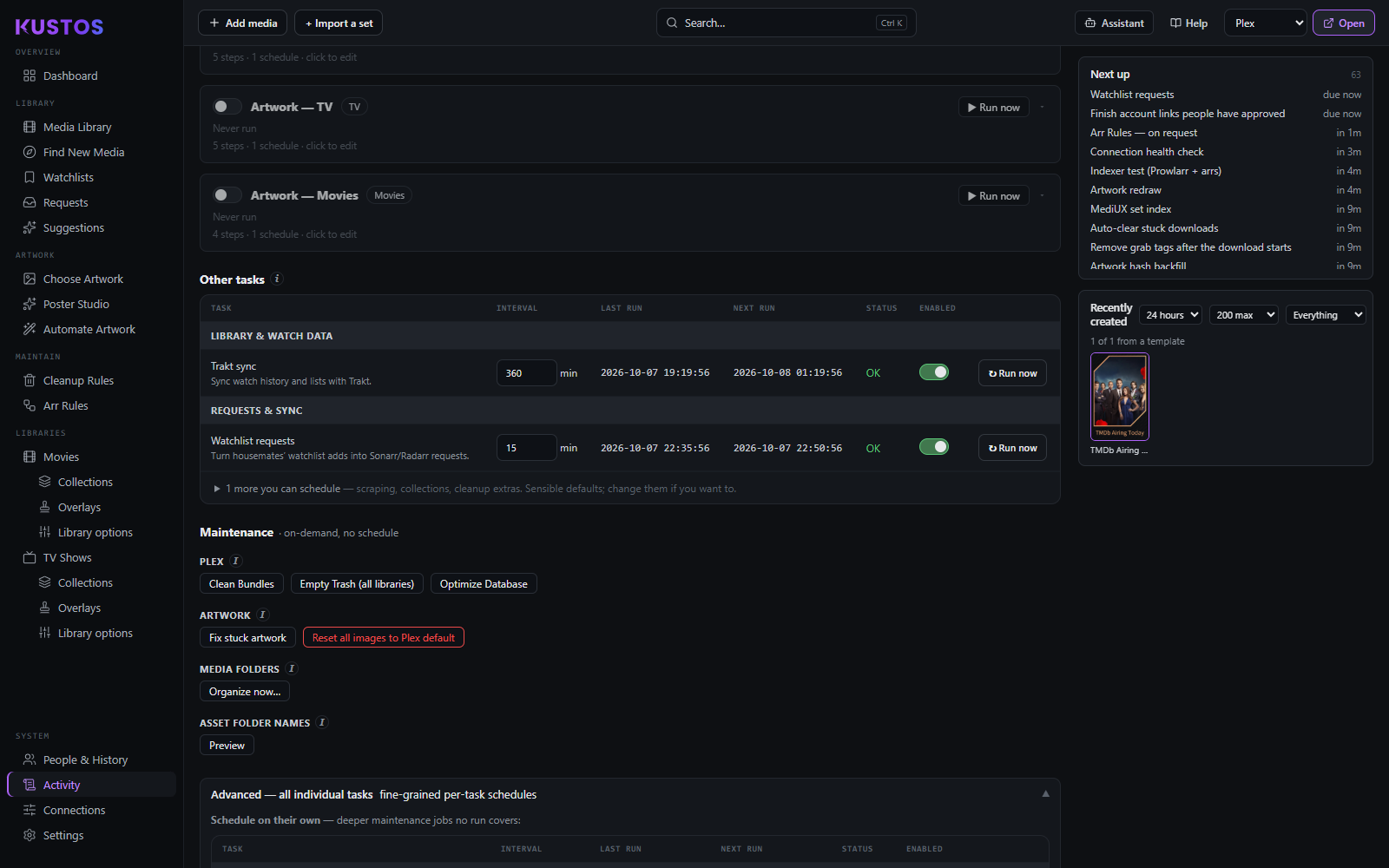
Not strictly a settings section — it lives in Activity → Tasks → Advanced — all individual tasks and in Settings — but it governs everything that happens unattended.
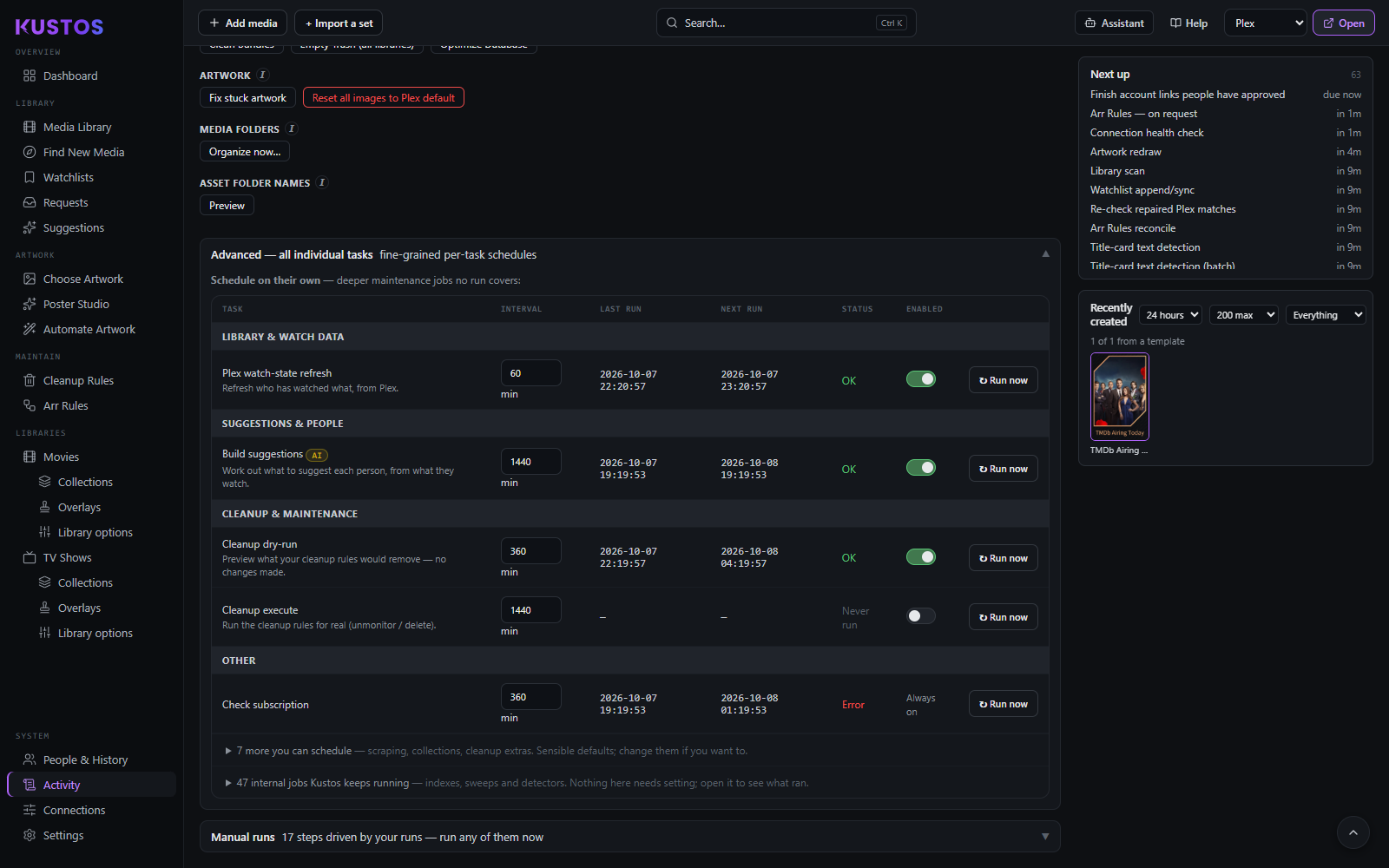
Each row is one recurring job: its interval, whether it is enabled, when it last ran, when it runs next, and how the last run ended.
Reading the status column
| Status | Meaning |
|---|---|
| Never run | No run recorded yet. |
| OK | The run finished and nothing inside it failed. |
| N of M failed (amber) | The run finished, and some of the work inside it did not. The schedule still advances and no alert fires — the pass itself succeeded — but the failures are named rather than hidden behind a green tick. Hover for the detail. |
| Interrupted | The run was cut off by a Kustos restart. Not a fault. If Resume interrupted runs is on and it was cut off in the last 12 hours, it resumes when Kustos starts; otherwise it runs on its next schedule. |
| Error (red) | The run itself failed. Hover for the message. |
The three drivers
A task's schedule can be owned by the task itself, by a Run (an ordered pipeline in Activity → Tasks), or by both.
- Where a Run is the only driver, the interval controls go dead but stay visible, with the reason attached — hiding the row would make the task look missing.
- Where a task is covered by a Run and still enabled on its own schedule, it runs twice. The row says so; that is a real state, not a display bug.
- Run now stays live in every case. "A run drives this" is not "you may never trigger it".
How runs behave as a whole
A run is a fixed pipeline that fires its steps in order: enable the ones you want and give each a schedule. Runs never overlap — if one comes due while another is running, it queues behind it.
| Setting | What it does |
|---|---|
| Plex jobs at once (on the Plex lane status) | How many Plex-heavy jobs — artwork passes, collection builds, library scans, watch-state refreshes — may use Plex together. The rest wait their turn. |
| Resume interrupted runs | If Kustos restarts mid-run (an update, a reboot, a crash), pick the run back up on startup and carry on from the step it reached, instead of losing the rest until tomorrow's window. Only for runs interrupted in the last 12 hours, and it gives up on a run after resuming it 3 times. |
| Pause during Plex maintenance | Holds scheduled runs during Plex's own Scheduled Tasks hours, so Kustos is not hammering Plex while it does its database work. Manual Run-now still works. |
| Auto-clear queue daily at [time] | Once a day, at the time you set, cancels anything still queued from yesterday and stops a run executing for more than 8 hours — long past the ~3h a Full Run takes, so it only catches one that has genuinely wedged and is blocking everything behind it. Queue only; nothing in your library is touched. |
"On, but nothing will fire it" means exactly that: the run is enabled and no enabled schedule will start it. Open it and add one, or use Run now.
Cancel queued cancels everything waiting. The run currently executing keeps going — use its own Stop button for that. Nothing in your library is touched either way.
Why a step's schedule is greyed out
The steps table lists the individual pieces the runs chain together. Run now lets you redo one without waiting.
The schedule is greyed for anything a run already drives, because setting one would make it run twice. Turn that run off if you would rather schedule the step yourself.
Two per-schedule options are worth knowing:
- New only scrapes just the newest uploader pages — a fast daily pass instead of the full catalogue. Titles you have just added are picked up by the on-download arr rule, not by this.
- Skip backgrounds leaves the TMDB backdrop step out of this schedule, so a frequent schedule can leave backgrounds to a less-frequent one.
Maintenance — on demand, and what each one really does
These have no schedule. Two of them are destructive in ways their names understate.
| Action | What it does |
|---|---|
| Fix stuck artwork | Re-pushes every winning folder asset even if unchanged — fixes a poster that got stuck, where Kustos recorded it as applied but Plex did not take it. Priority is still respected. |
| Reset all artwork to Plex defaults | Reverts every poster, background and title card Kustos applied back to Plex's own image, and forgets all of Kustos's artwork records. Your dropped folder art is untouched. |
| Organize media folders | Runs each instance's own Organize — the select-all → Rename in the arr UI. It is the only thing that renames media folders to your current naming format, fixing stragglers like a film that finally got a release year but still sits in a Title () folder. arr moves only what does not already match. |
| Asset folder names (Activity → Tasks → Maintenance; Preview, then Apply — rename N) | Renames artwork folders under Movies and TV Shows to the folder name Sonarr/Radarr gave that title, following whatever naming the arr is set to (A Bug's Life (1998) → A Bugs Life (1998)). Preview first: nothing changes on disk until you Apply. Folders that already match are left alone, it never merges into an existing folder, and collections and titles no arr holds are not touched. |
| Plex maintenance | Plex's own maintenance, triggered from here. None of these clears orphaned labels from Plex's filter list — that is a Plex tag-table artifact no maintenance action touches. |
Repair actions neither scrape nor build anything. To make Kustos fetch or draw something, run a step from Manual runs instead.
Restore defaults
Puts every task's interval and enabled state back to what Kustos ships with. It overwrites your changes to all of them, not just the one you were looking at, and asks first.