



Wiki / Setup — connections & keys
TheTVDB
What it is for. An extra source for TV matching, mostly useful when a show is matching to the wrong series or an episode order looks wrong.
Cost. Free for personal use. TheTVDB does sell subscriptions, and some integrations ask for a subscriber PIN alongside the key, but a key for a home media server does not cost anything.
You can skip it to start with. Kustos matches TV fine on TMDB alone. Add it when something is actually mismatching.
First, make a free account at thetvdb.com. Once you are signed in:
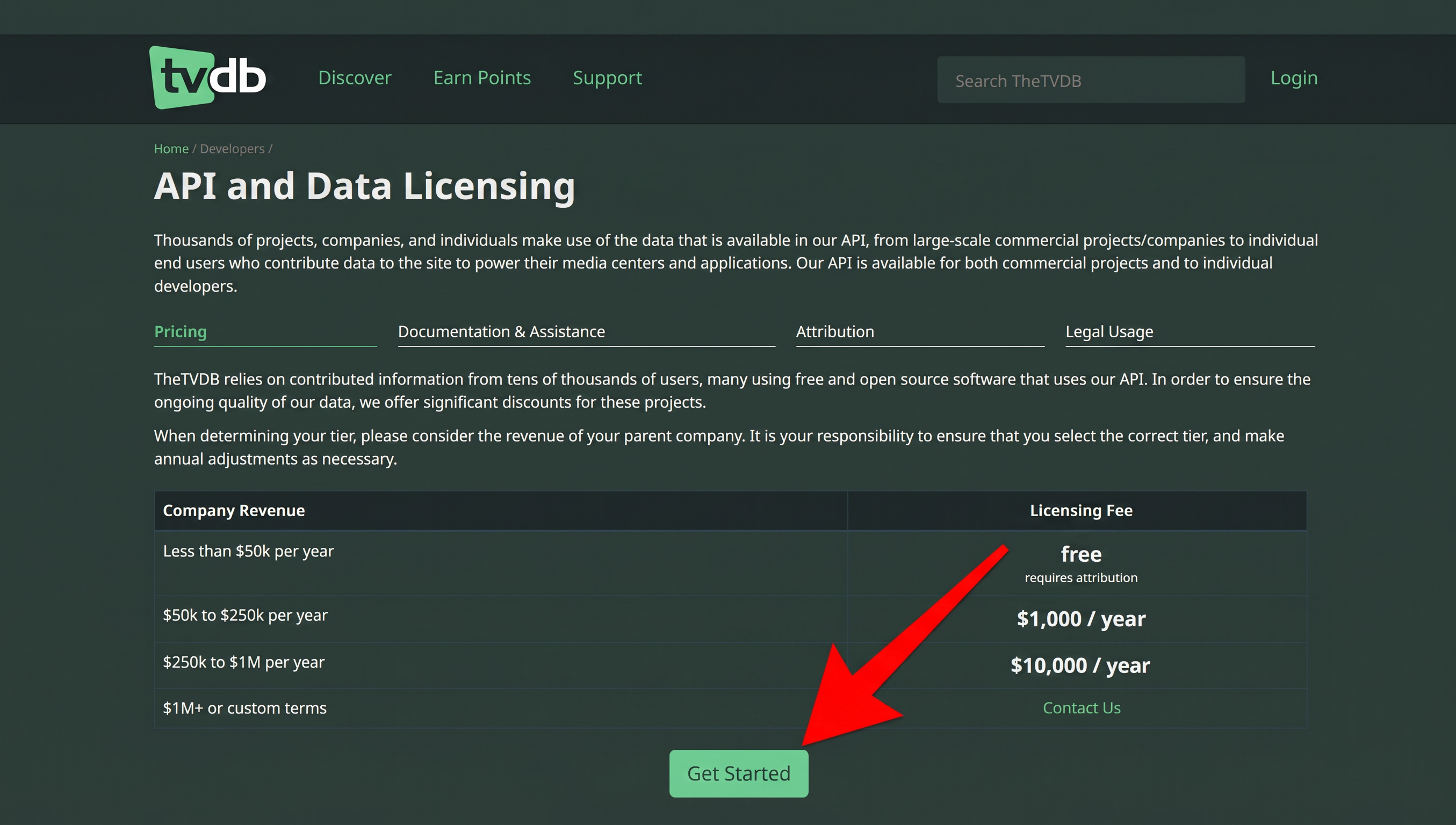
- Go to Developers → API and Data Licensing and press Get Started. Read the pricing table on the way past: under $50k a year is free, and it asks only for attribution.
- On the sign-up form, pick Less than $50k per year for revenue, then give the project a name and a sentence describing it. A personal media server is an honest answer to both.
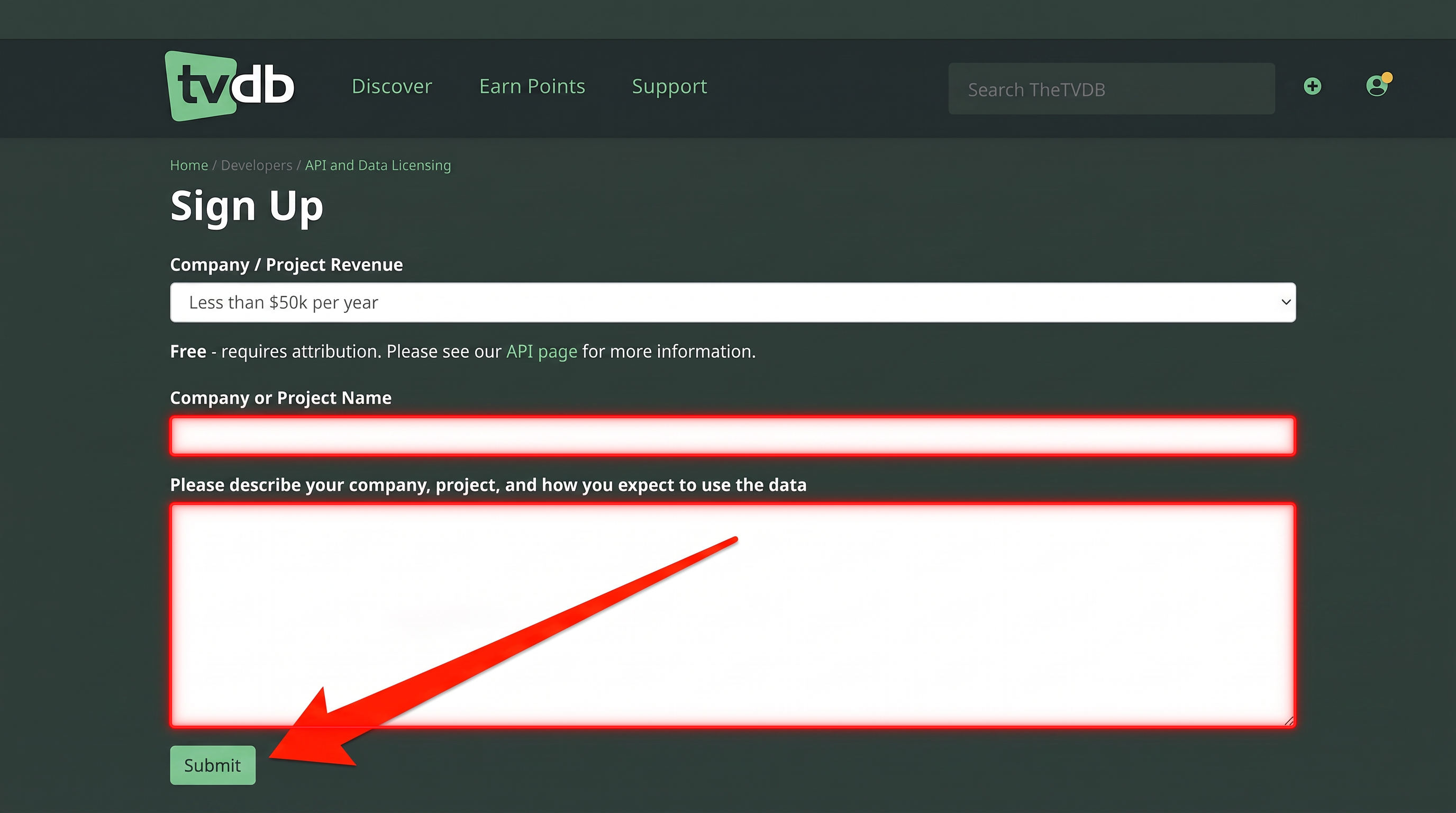
- Submit it. The key is issued immediately and appears under Your API Keys, marked Active.
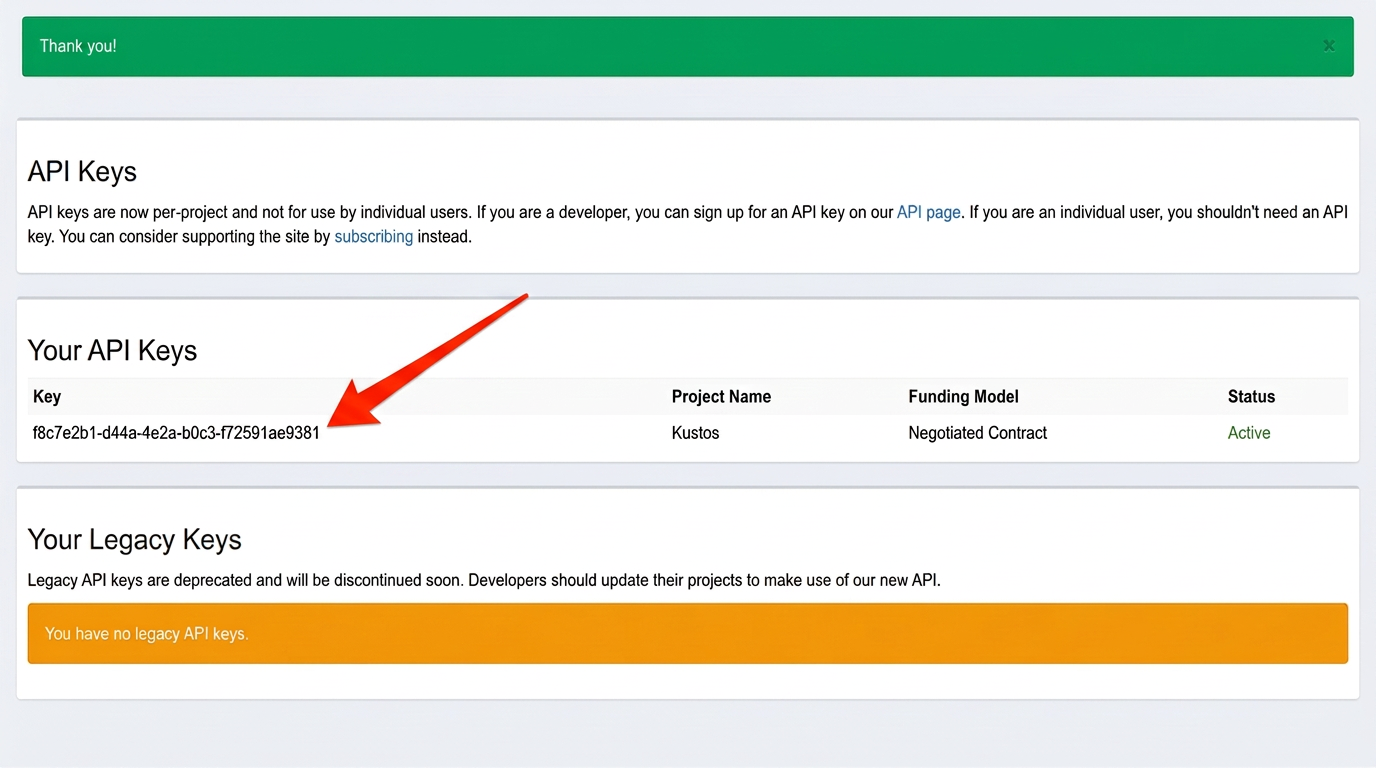
- In Kustos, Connections → TheTVDB, paste it, and press Save.
If something asks for a subscriber PIN, that is TheTVDB's user-supported option and is separate from the key. Kustos wants the key.