



Wiki / Setup — connections & keys
TMDB
What it is for. The backbone of matching and metadata: posters, backdrops, release dates, collections, and the id Kustos uses to know that two copies of a film are the same film. Get this one early — more of Kustos depends on it than on anything else here except Plex.
Cost. Free. TMDB gives personal keys away; there is no paid tier you need.
First, make a free account at themoviedb.org and verify your email. TMDB will not issue a key until you have. Once you are signed in, the rest is this:
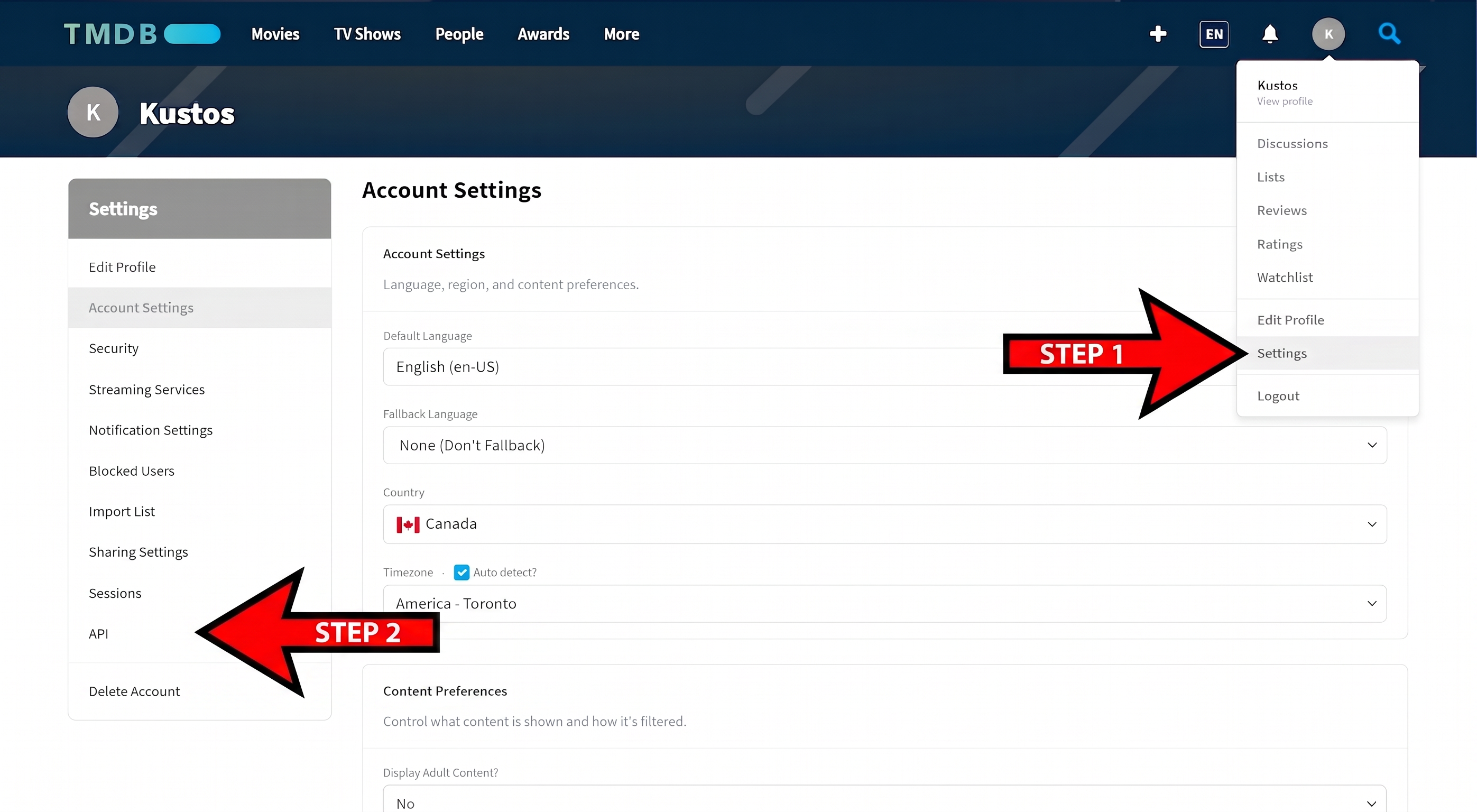
- Open the avatar menu at the top right and choose Settings, then pick API from the list down the left.
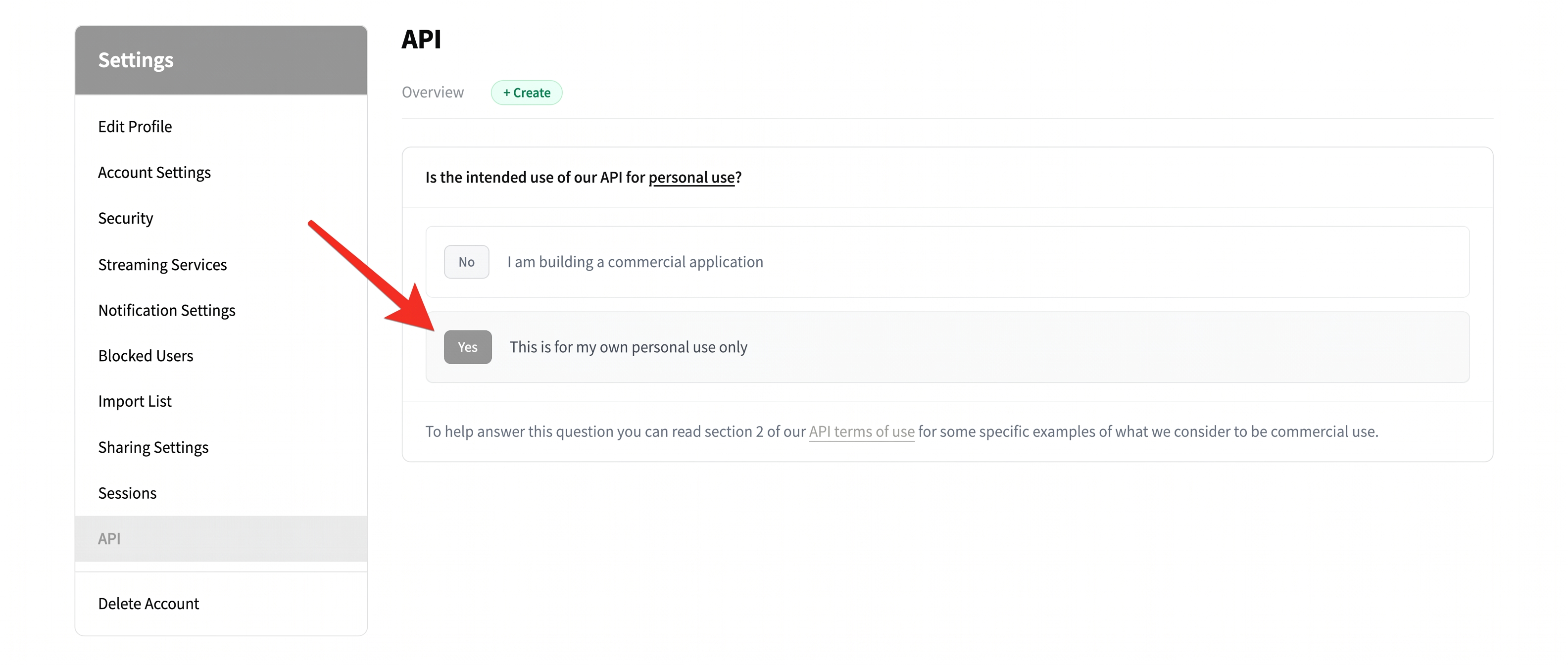
- On the API page, press + Create, then answer Yes — this is for my own personal use only. The commercial answer sends you down a different path you do not need.
- Fill in the form. Application Name and Application URL can be anything honest — "Kustos" and your Kustos address do fine. The summary just has to describe a personal media library. In Contact Info only the email is required; name, phone and address can stay empty.
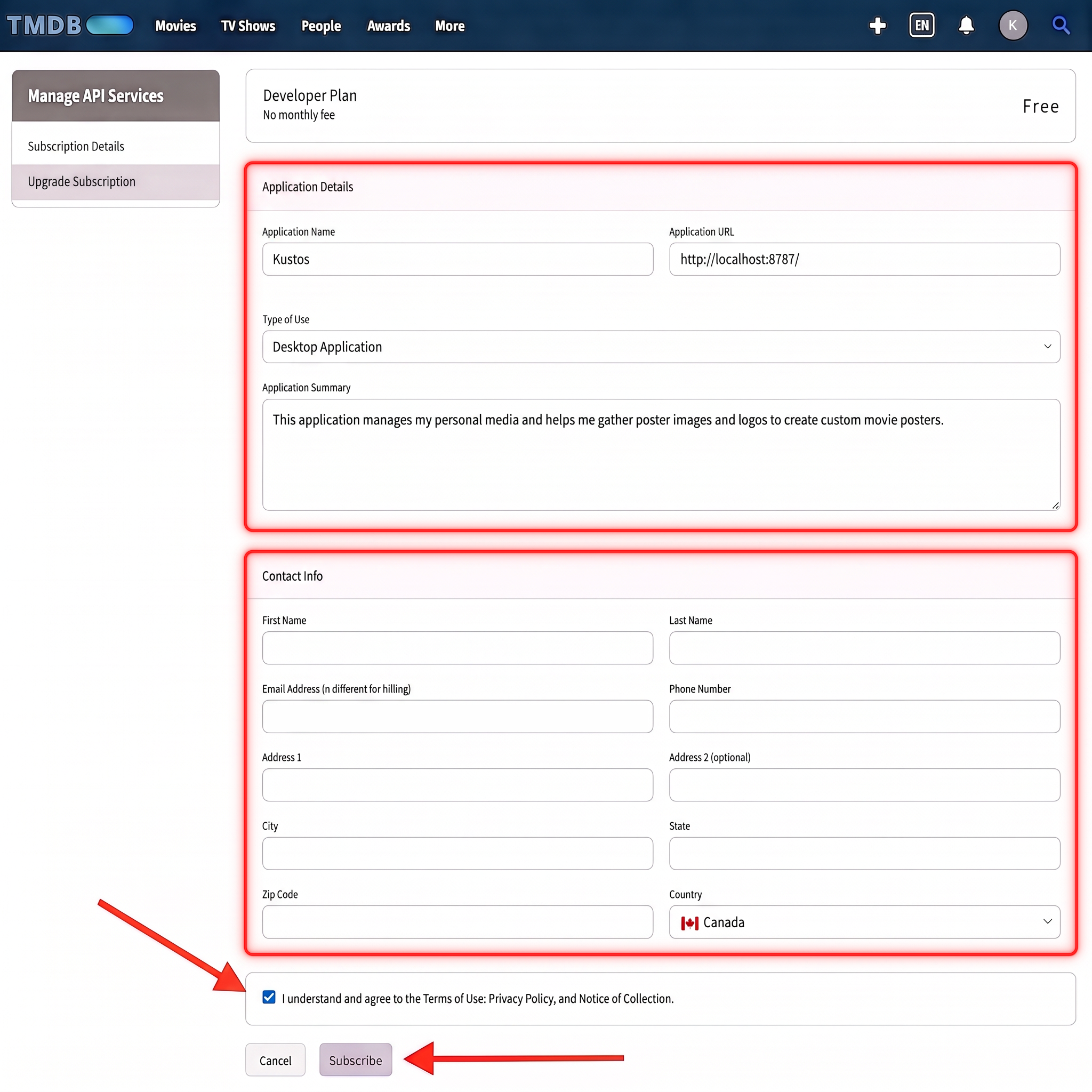
- Tick the terms box and press Subscribe. The Developer plan is free and there is no monthly fee.
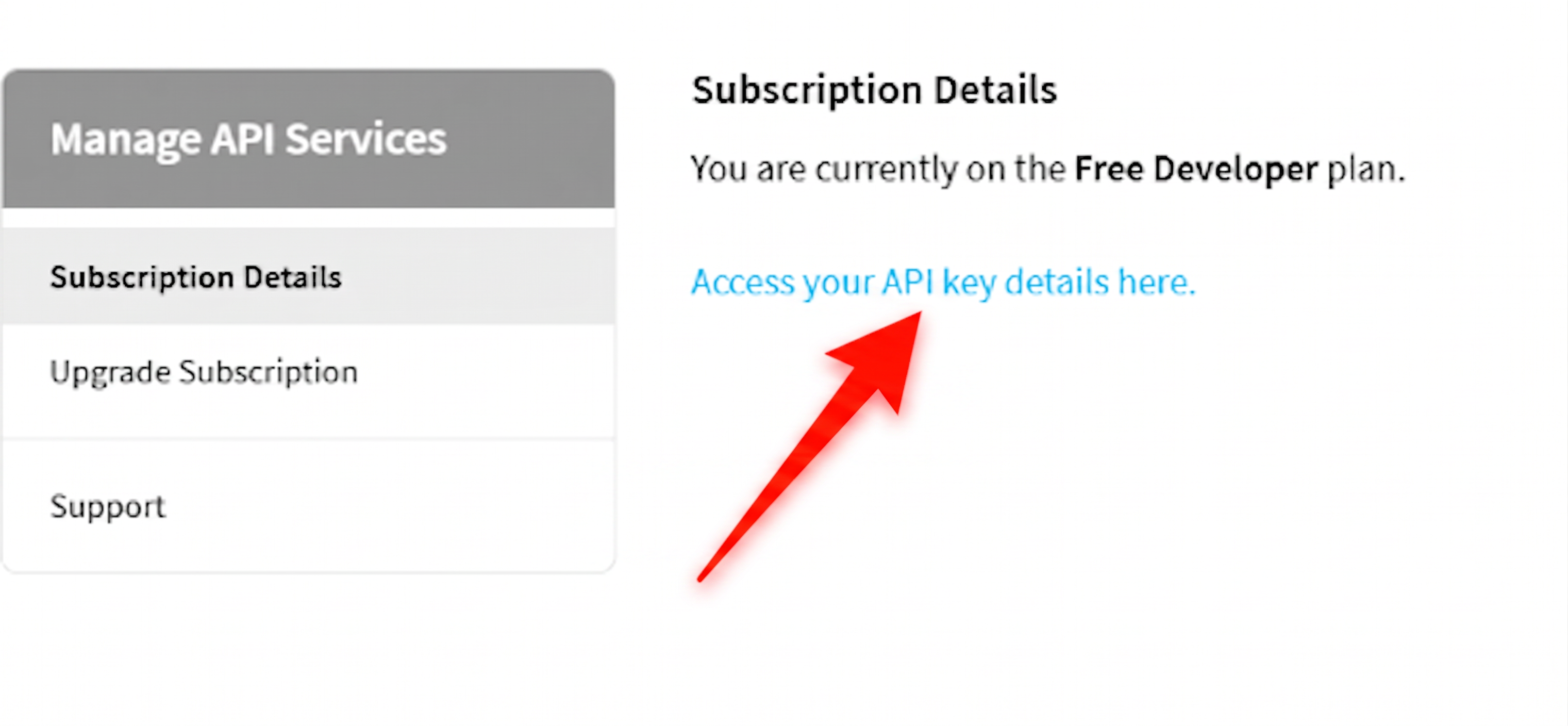
- Back on Subscription Details, follow Access your API key details here.
- Copy the API Key. TMDB shows two values and people paste the wrong one — the short key at the bottom is what Kustos wants, not the long API Read Access Token above it.
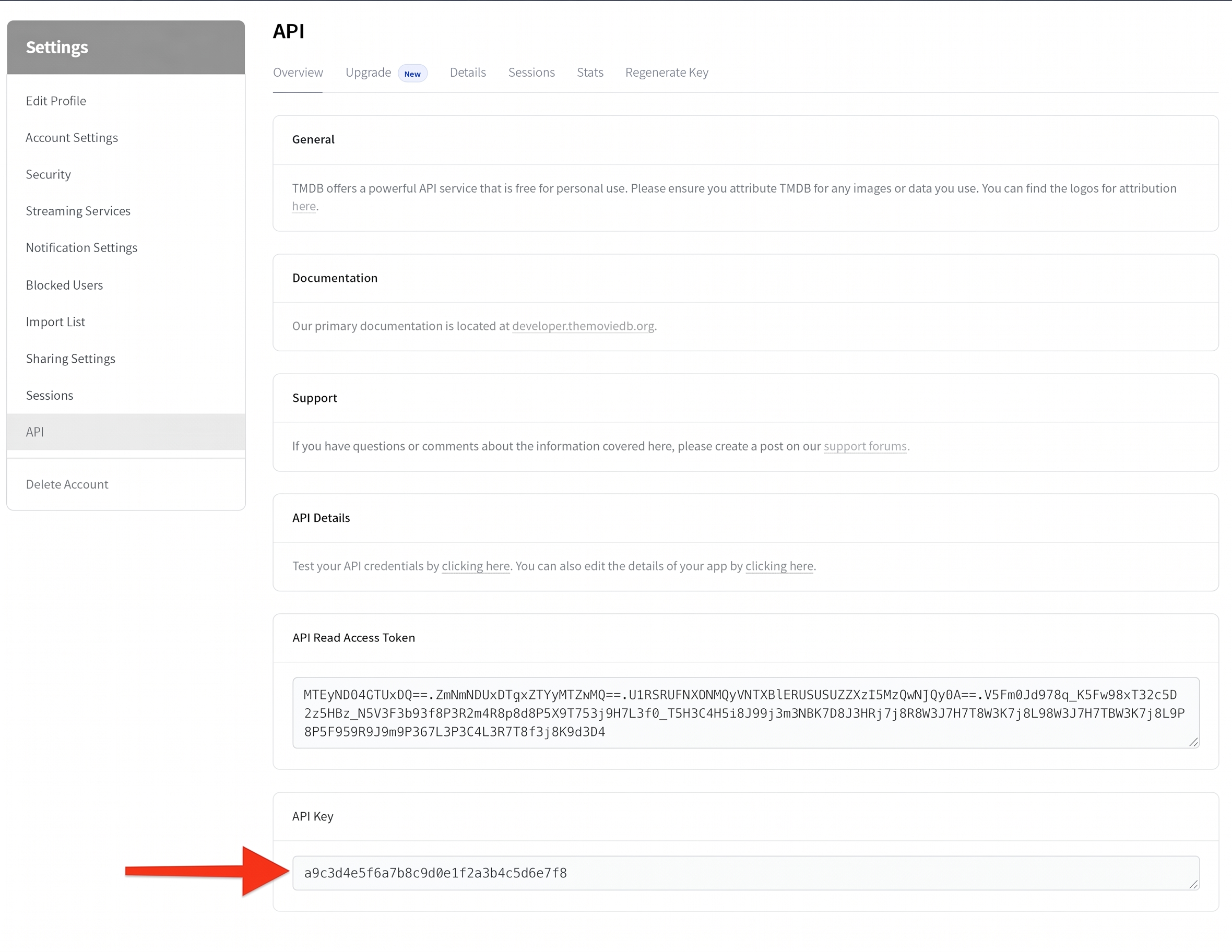
- In Kustos, Connections → TMDB, paste it, and press Save.
How you know it worked. Choose Artwork starts offering posters.