



Trakt
Read the Simkl section first. Simkl is the one to pick. It does the same job, costs nothing to set up, needs nobody to hold a paid membership, and is getting easier to work with rather than harder. Trakt still works and Kustos still supports it fully -- but if you are choosing between them today, choose Simkl, and if you are already on Trakt there is nothing urgent to do. Why, in short:
| Trakt | Simkl | |
|---|---|---|
| To set it up | Register an API application (free), and one linked account needs VIP | Nothing. Kustos ships its own |
| For each person | Approve a code. Free account | Approve a code. Free account |
| Lists as collection sources | Yes | Yes, for anyone on Simkl Pro or VIP |
| Direction of travel | Getting harder for outside tools | Getting easier |
That last row is the real reason. Trakt has been steadily narrowing what outside tools can do. In August 2026 developer access changed and some existing applications stopped working overnight -- not only Kustos, every self-hosted tool that talks to Trakt. Nobody was given notice and nobody had an appeal.
Registering an application is free today. What VIP gates is Trakt's API, and it takes one account with VIP — Kustos works through that linked account, so one VIP membership covers the whole server rather than one per person. This page spent a while saying the registration itself cost money, which was wrong. It is worth saying twice for the reason in the paragraph below: this has already changed once without notice, so check Trakt's own site rather than trusting a date written here.
So we cannot promise Trakt will keep working, because that is not ours to promise. It is one policy change away, and the last one arrived without warning. Nothing you have already built on Trakt breaks today, and nothing in Kustos is being taken away. But if Trakt closes the door again, the collections and suggestions built on it stop, and the only thing we could do is tell you why.
What it is for. Per-person suggestions and sending lists to somebody's Trakt account. Trakt is what lets Kustos know a person's taste from outside your library.
Cost. Registering an application is free; Trakt's API needs VIP on one account. This page said the registration itself cost money, which was wrong. The VIP requirement is real but it is one membership for the server, not one per person: Kustos works through the linked account that has it.
Nobody else you invite needs VIP, and nobody you invite registers anything. They link their own free Trakt accounts to your application by approving a code.
And Trakt is optional. Watch tracking works without it: Plex history and Tautulli cover plays, and MDBList, TMDB and Plex watchlists cover lists. What you lose by skipping Trakt is per-person suggestions from outside your library, and sending lists to somebody's Trakt account. Nothing breaks.
There are two halves, and the first one is easy to miss. You register one application on Trakt for the whole server, and then each person links their own account to it. Nothing per-person works until the application exists.
Half one — register the application (once, for the server)
- On trakt.tv, open Settings from the account menu at the bottom of the left rail.
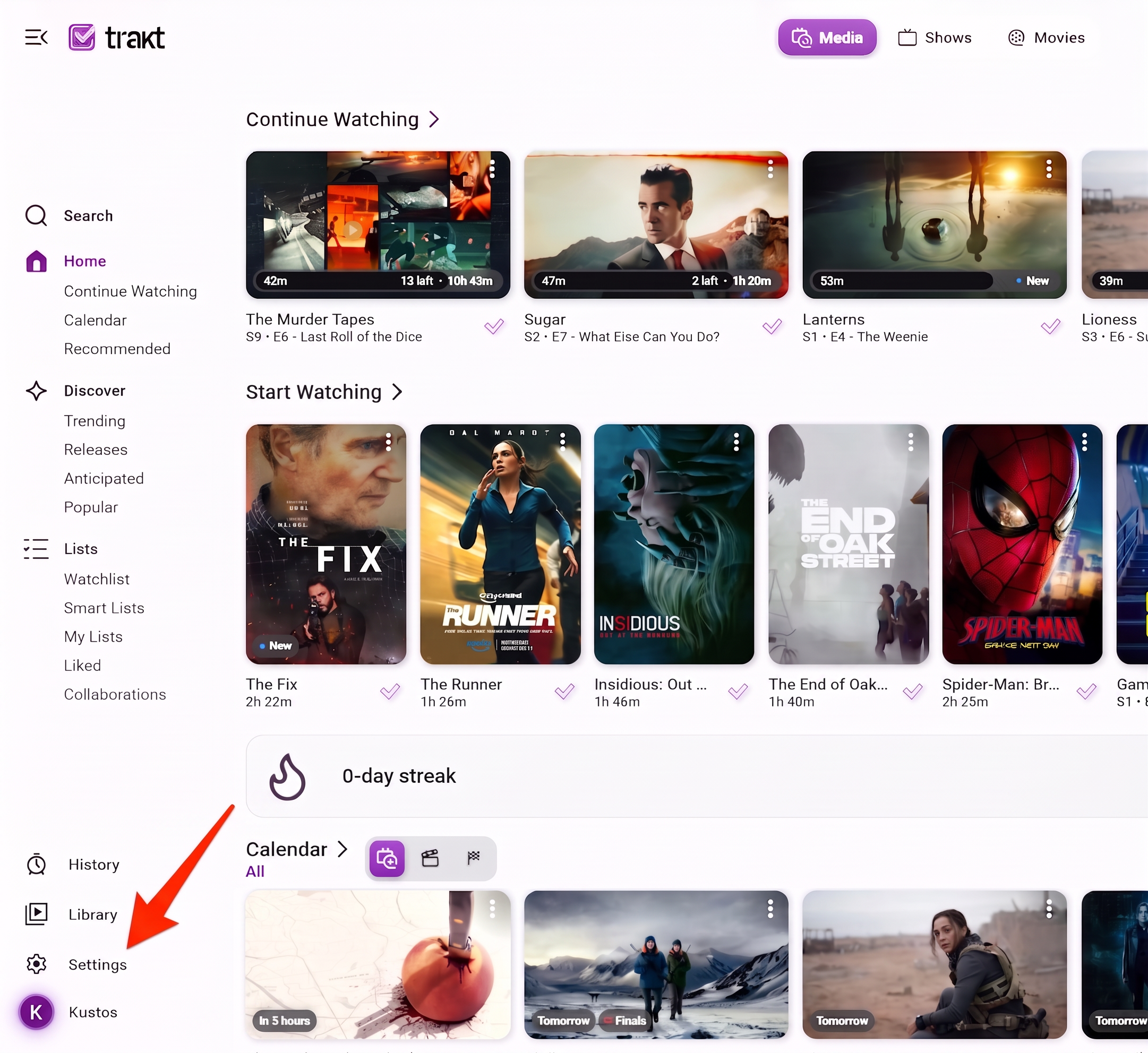
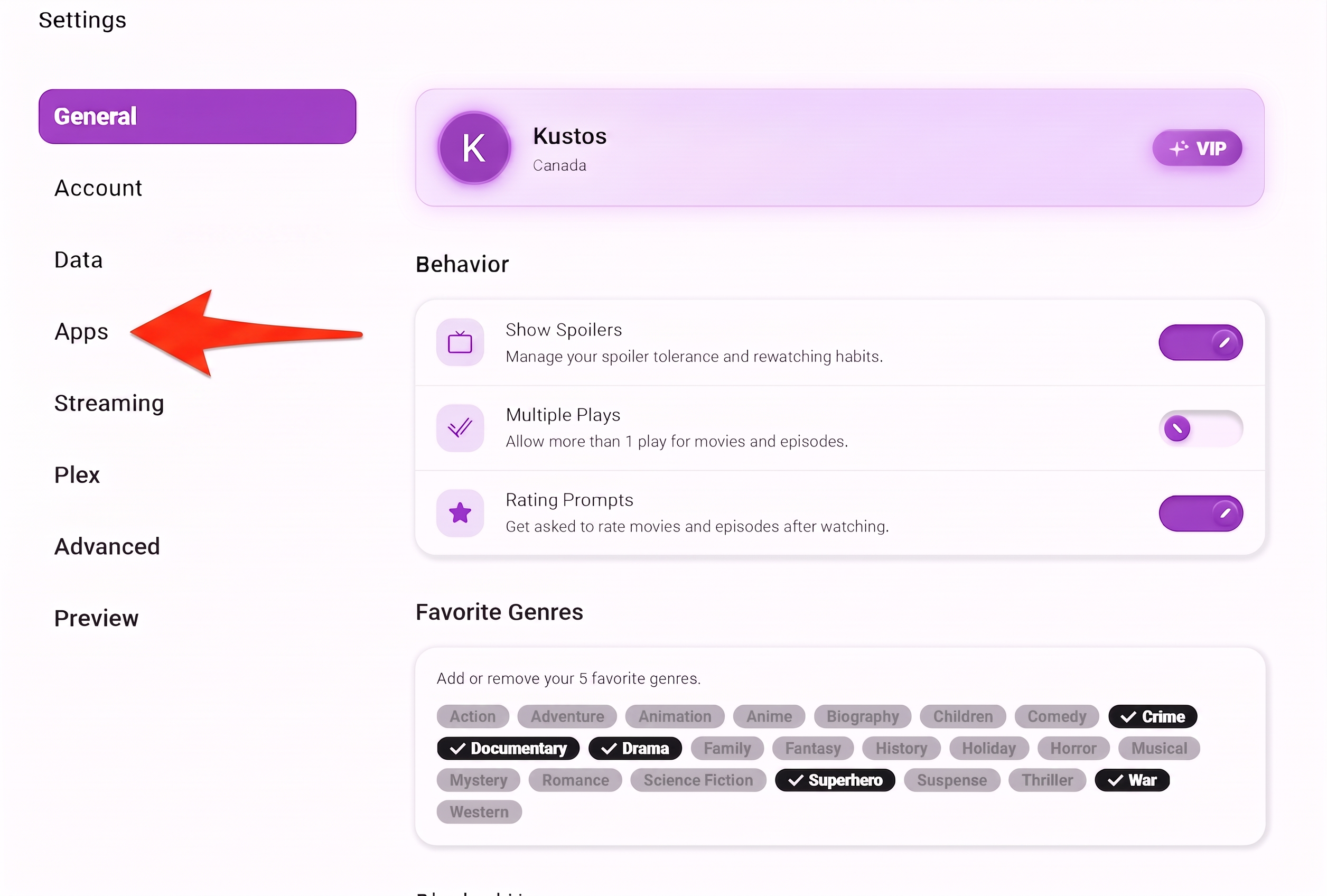
- Choose Apps from the settings list.
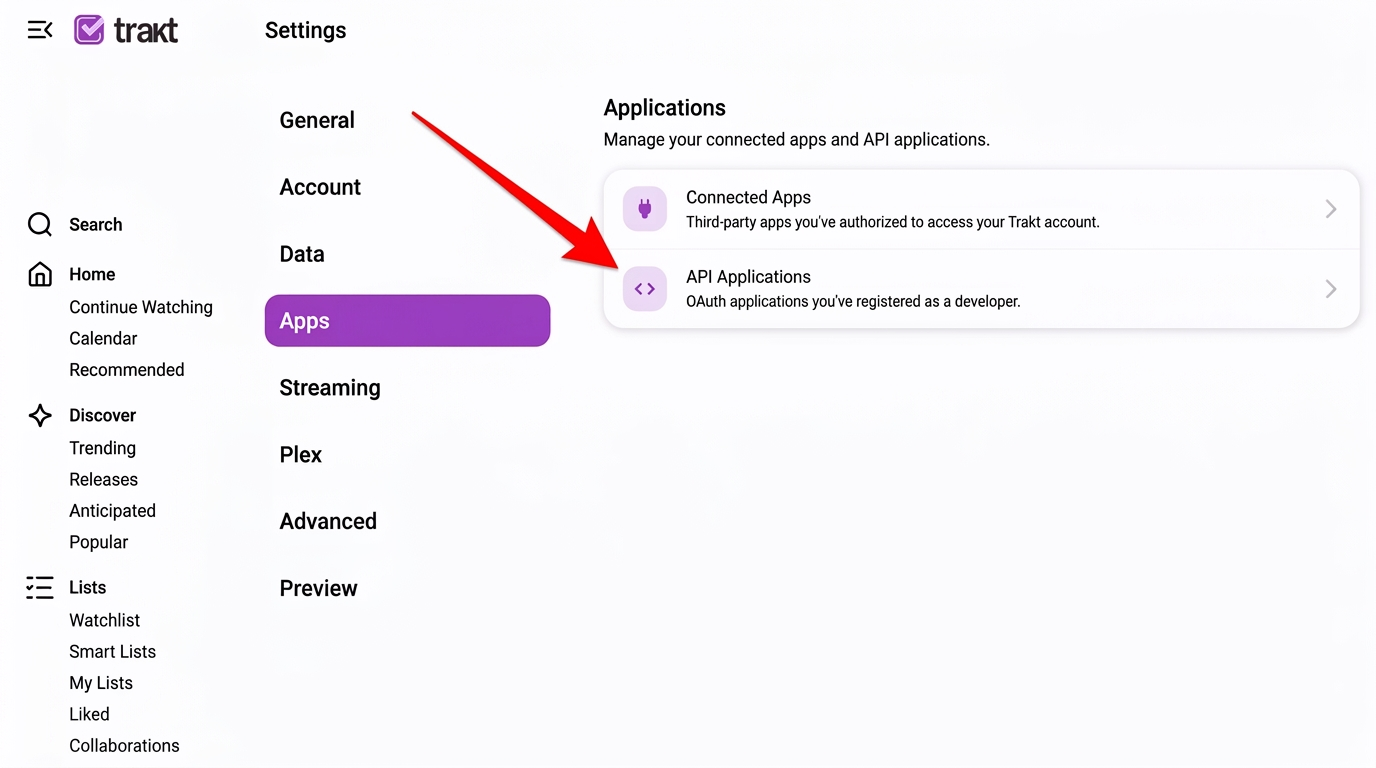
- Open API Applications.
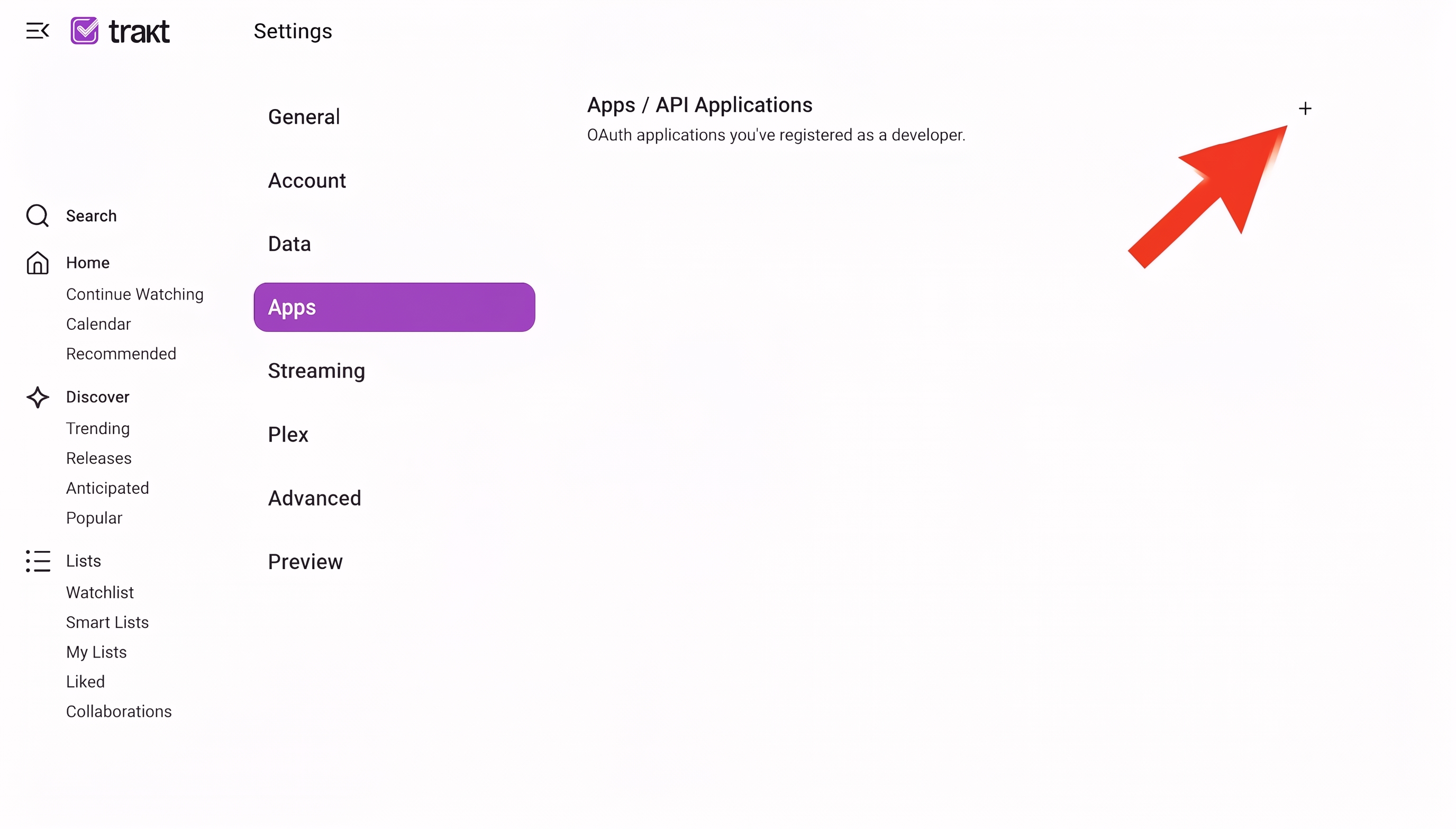
- Press to add a new application.
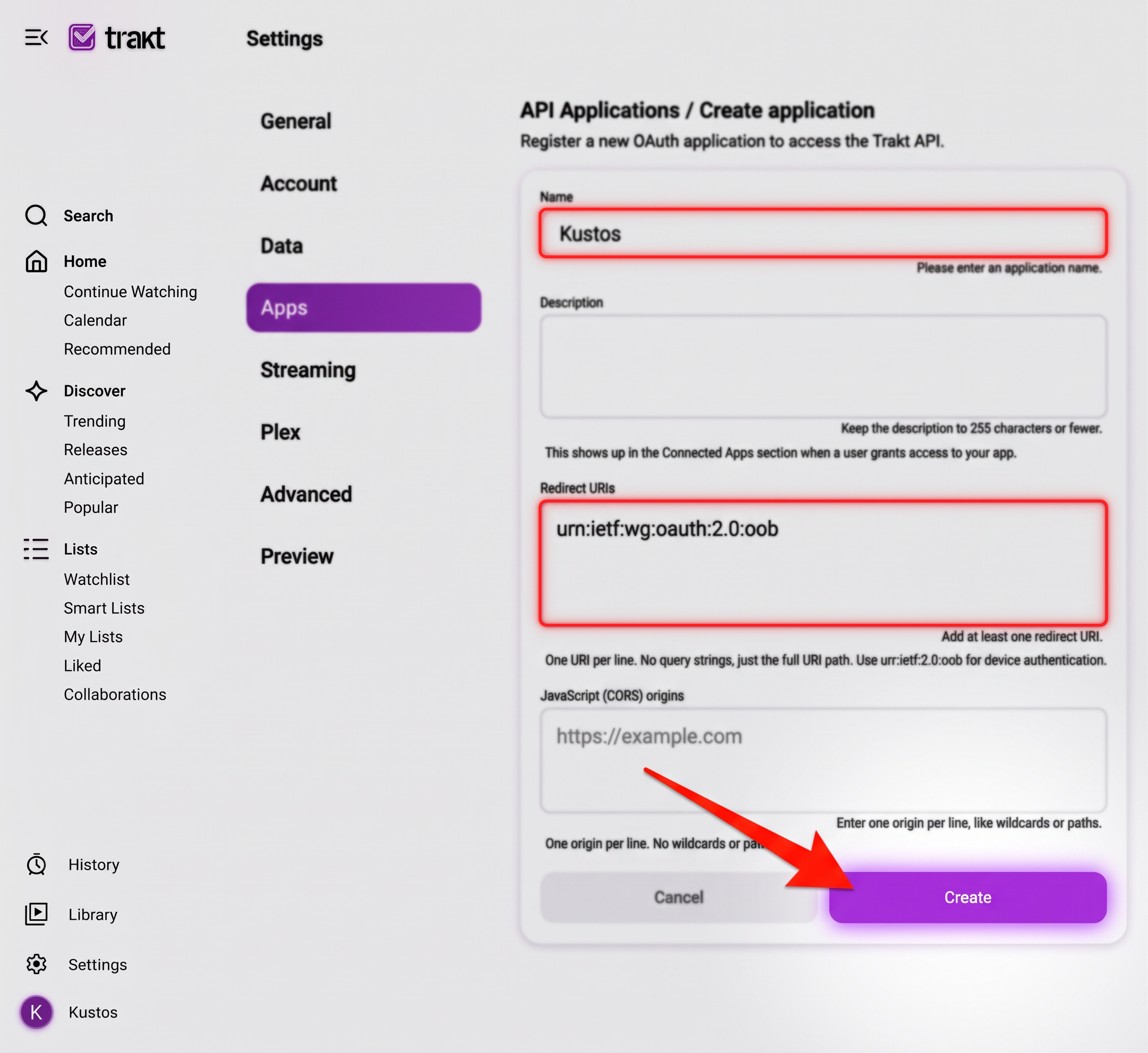
- Fill in two fields and leave the rest alone. Name can be anything — "Kustos" does. Redirect URI must be exactly urn:ietf:wg:oauth:2.0:oob, which is the value that tells Trakt this app signs people in by code rather than by bouncing them to a website. Then press Create.
- Copy the Client ID and the Client secret from the application page.
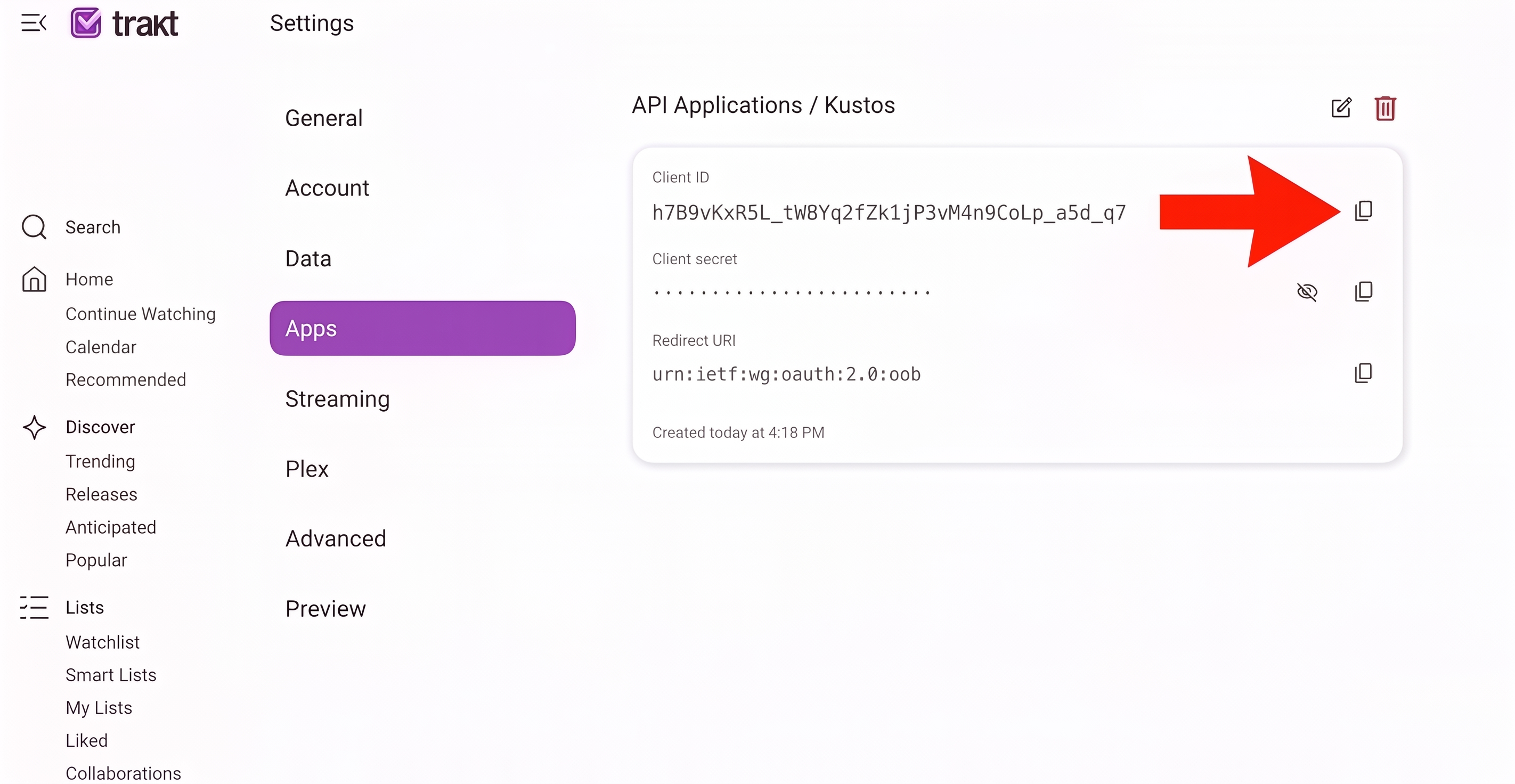
- In Kustos, go to Connections, find the Trakt panel, and paste both in. The panel says whether each is set, so you can see at a glance which half is missing.
Half two — each person links their own account
This is per person, and the link is theirs. You cannot link one on somebody's behalf.
- In Kustos, go to People & History and find the person's card.
- Press Connect Trakt on their card. Kustos shows a short code and a link.
- On any device, open the link shown and sign in to that person's Trakt account.
- Enter the code and approve the request.
- Kustos picks up the link on its own within a few seconds. The card stops showing the code and starts showing the account.
Nobody has to link. The per-person suggestion rows on their Plex home screen are drawn from the library you already own and need no Trakt at all, so the people who will never link still get rows. It is the Suggestions page that needs it, because that one recommends things you do not hold.
How you know it did not work. Per-person actions on that card stay greyed out, with the reason on the control rather than in a log. If every person is greyed out at once, it is the application from half one that is missing, not their link.