



Assistant
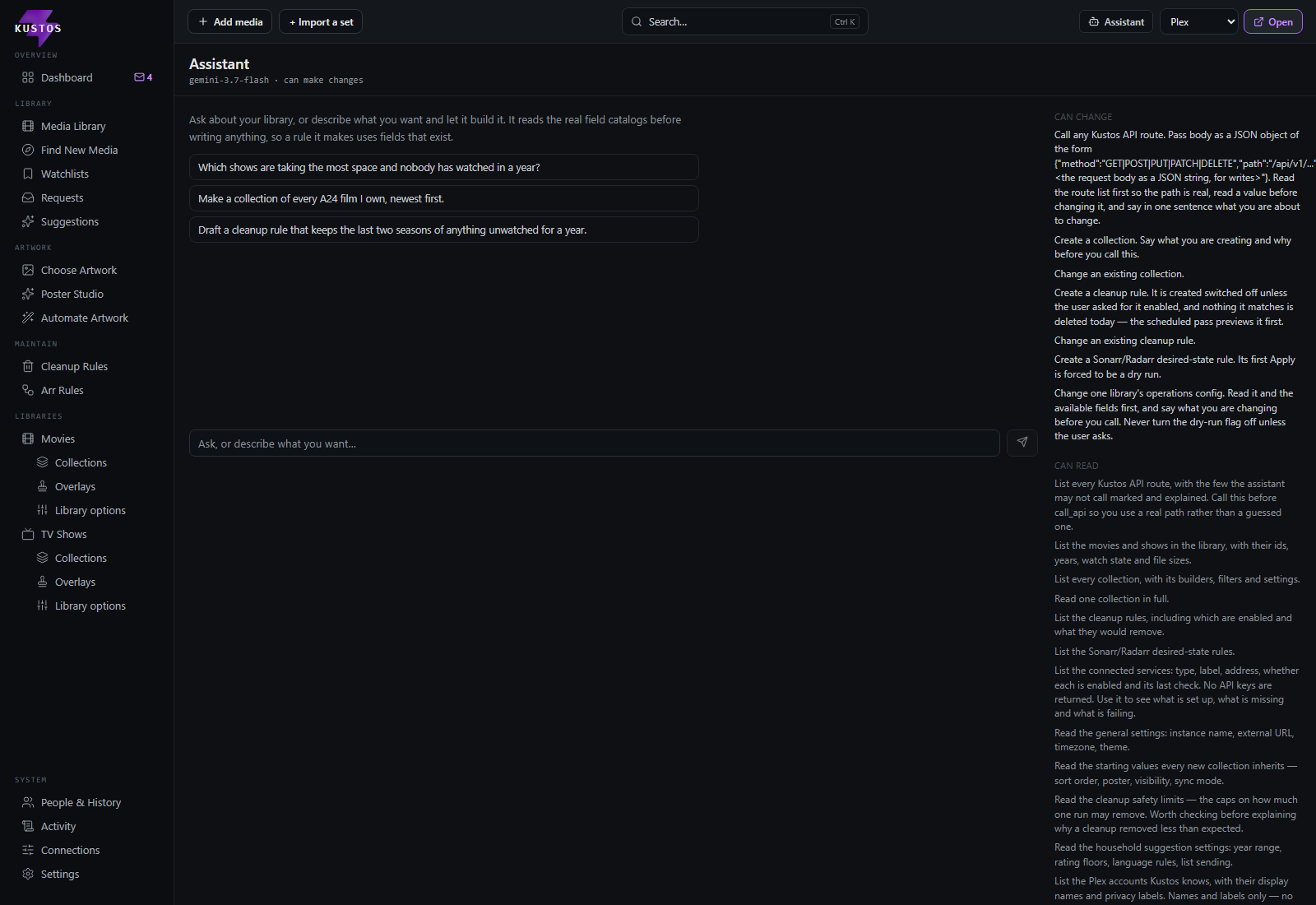
A chat panel that can drive Kustos for you, opened from the Assistant button in the top bar. It is not a separate place you go to — it opens over whatever screen you are on.
It can read anything in Kustos, including connections, and in Full it can change settings, people, collections, rules and library operations. It cannot change a connection or a key. Ask it in ordinary words — "why did this show get deleted", "add Jeremy's Trakt list as a collection", "turn off 4K for documentaries" — and it works through the same endpoints the screens use, so anything it does shows up in Activity like any other change.
Two modes: Plan and Full
It starts in Plan, and anything it cannot understand as a mode also means Plan. A missing setting must never hand write access to a model.
| Plan | Full | |
|---|---|---|
| Read everything | Yes | Yes |
| Preview a cleanup or arr rule | Yes | Yes |
| Create a cleanup rule or arr rule | No | Yes |
| Change settings, collections, library operations | No | Yes |
| Edit an existing rule | No | Yes |
| Change a connection or a key | No | No |
| Delete Kustos's own objects (a collection, a rule, a preset) | No | Yes |
| Delete media | No | No |
| Run a cleanup immediately | No | No |
Plan saves nothing. It reads, previews and tells you the screen, the field and the value. Creating a rule is a save even though a rule does nothing straight away, so it needs Full.
Plan is not a lesser assistant. For everything it cannot touch it still reads the current values, explains what they do, works out what should change, and tells you the screen, the field and the value. If it ever answers "I can't do that" and stops, that is a bug.
Switching to Full is one press on the assistant panel. Full still never deletes media and cannot run a cleanup immediately — neither of those is a mode setting. What Full can remove is Kustos's own objects: a collection, a rule, a preset.
What it can and cannot delete
It never deletes media. Not a file, not a title, in either mode. The only thing in Kustos that removes media is a cleanup rule's Run & delete now, and that one is refused permanently — not as a setting, and not something Full turns on. If you want media gone, you press that button yourself.
In Plan it deletes nothing at all, of any kind.
In Full it can remove Kustos's own objects — a collection, a rule, a preset, a template, a link, a tag. Those are things Kustos made and can make again, and none of them touches a file on disk.
The named tools it is offered carry no delete at all — 19 reads, 5 posts, 2 patches, 1 put. The deletes above are reached through its general "call any route" tool, which works from a list of forbidden areas rather than a list of permitted routes.
What else it will not do, by design:
| Why | |
|---|---|
| Run a cleanup rule now | "Run & delete now" skips the countdown and the Leaving Soon rescue window, the two guards that give a person time to notice a mistake. It is safe because a human pressed it. Hand it to an assistant and nobody has looked before anything goes |
| Touch the app itself | API keys, sessions, backups, migration, invites |
| Change credentials or unlink an account |
It can still WRITE a cleanup rule, and that is deliberate rather than an oversight. A saved rule is a deferred deletion that nothing acts on today: the scheduled path applies the cap, recomputes a dry run every six hours, and shows a countdown in the queue and on the Dashboard before anything goes. You get to see it coming. Pressing the button yourself does not have any of that.
Why the line is drawn at deletes at all, in Krista's words: "i can't guarentee a user has that because its not default in arr." Every Kustos delete goes through Sonarr/Radarr with the file removal flag set, so an arr recycle bin would catch it — but that bin is opt-in and ships switched off in both. On a stock install a delete is permanent.
It needs a model. With no AI configured the button explains what is missing rather than failing when you ask it something. See AI keys.
The conversation survives a reload. Refreshing the page or opening Kustos in a new tab keeps the thread you were in.