



Cleanup Rules
Desired-state deletion, with the safety rails in front.
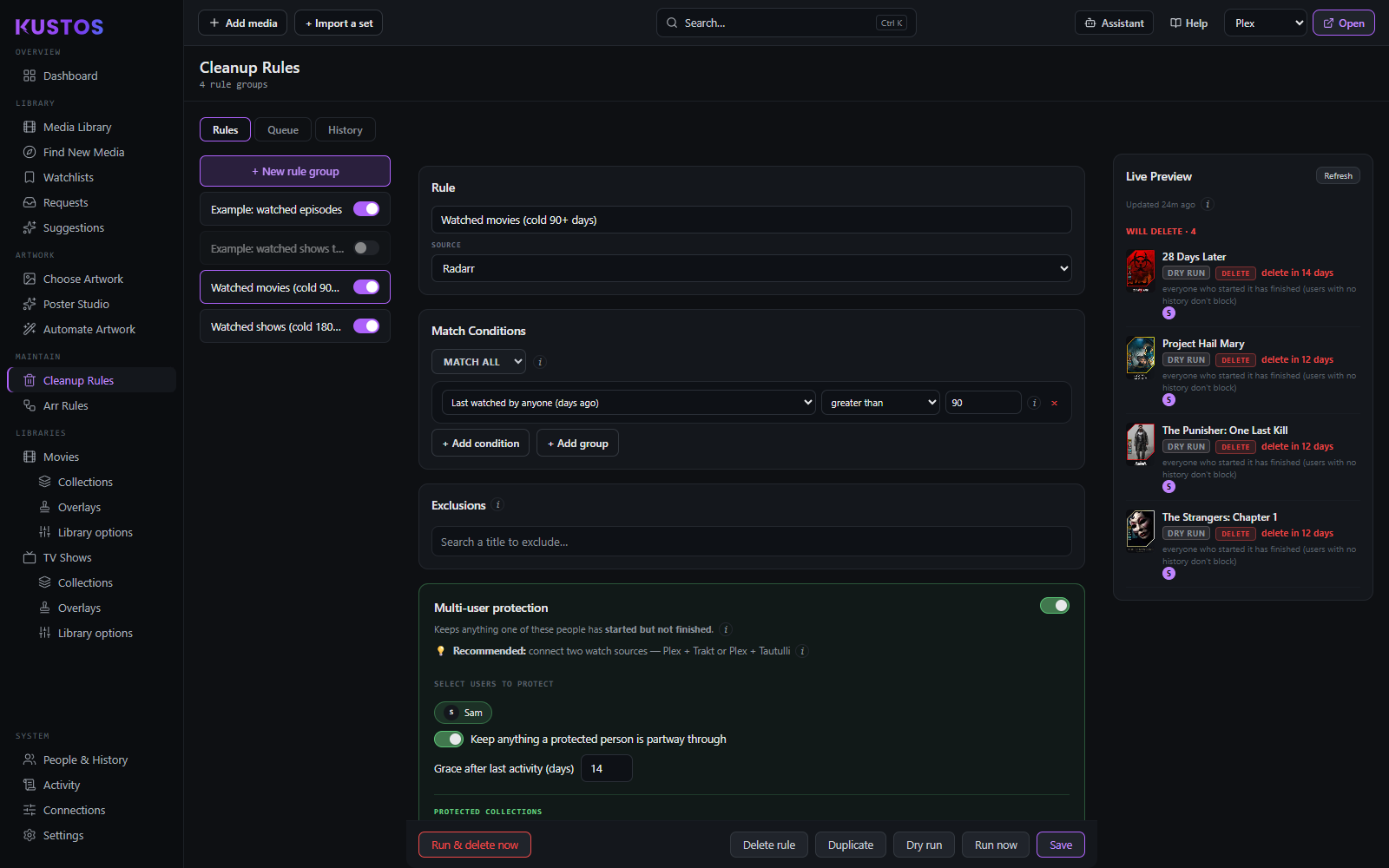
A rule is: match conditions → a delete scope → a schedule, plus exclusions and protection.
Write your first rule without losing anything
Do it in this order. The point of the order is that nothing can delete until you have seen, in writing, exactly what it would delete.
- **Create the rule and turn Dry run only ON before you save it. It is off** on a new rule, which also starts switched on and set to unmonitor, delete and remove files. The switch sits at the bottom, beside Save. While it is on, the rule cannot delete or unmonitor anything at all.
- Set the match level — per episode, per season, or per show. This is what gets tested, not what gets removed.
- Add your conditions. Start with one. A rule with one condition you understand beats a rule with six you are guessing at.
- Set the delete scope under When Matched — episode, season, or the whole show. This is the one that decides what disappears. Choose Show only if you mean "one matching season deletes the entire series", because that is what it does.
- Read the Live Preview. It lists exactly what the rule matches right now. If that list surprises you, the rule is wrong — fix it before going further.
- Turn on Multi-user protection and select everybody who watches. Anything one of them has started and not finished is then kept.
- Set a grace period inside Multi-user protection, so something one of those people watched recently is kept. It only works with protection on and at least one person selected.
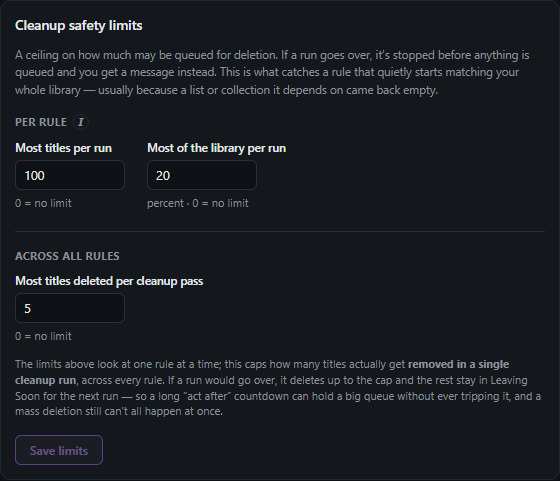
- Set the cleanup safety limits (the blast-radius caps). A maximum number and a maximum percentage per run.
- Leave it in dry run for a few days. It reports what it would have done, tagged DRY RUN on the Dashboard. Read those reports.
- **Only then turn Dry run only off.**
If you remember one thing: the delete scope in step 4 is not the same as the match level in step 2. Matching per season and deleting scope Show is a rule that removes a whole series because one season qualified. That combination is correct for some libraries and a disaster in others, and it is the single easiest thing to set by accident.
Match level — per episode, per season, or per show:
- Per episode. Matching runs per episode; series-level fields (tags, quality) still apply to each one.
- Per season. Matching runs per season, aggregated over its episodes.
- What actually gets removed is the Delete scope you pick under When Matched — episode, season or the whole show. Pick Show to delete a whole series when one season matches.
Conditions cover watch state (watched by anyone / by a named user, in progress, watched the finale, watched all episodes on disk, last watched N days ago, total plays, watch percentage), requests (requested by anyone / by a user, number of requests), collections, acquisition status, size on disk, episode counts, unaired episodes, season number and more.
Safety, in layers
| Layer | What it does |
|---|---|
| Dry run only (safe mode) | The rule never deletes or unmonitors. It reports what it would do, tagged DRY RUN on the Dashboard. Off on a new rule. Turn it on, and leave it on for a few days before letting a rule act. |
| Exclusions | Titles listed here are never touched by this rule, whatever the conditions say. Re-include from the collapsible Excluded list. |
| Multi-user protection | Anything one of the selected people has started but not finished is kept. Every selected person is checked before anything below runs. |
| Grace periods | Part of Multi-user protection (Grace after last activity (days)), and does nothing with protection off. A title any selected person played within the last N days is kept. Activity by people the rule does not protect does not count. The wait between a title matching and being removed is Act after (days) under When Matched. |
| Cleanup safety limits | A ceiling on how much may be deleted, as a count and as a percentage. Three limits in two groups, which behave differently — see cleanup safety limits. |
| Order | Rules are listed and evaluated in name order; there is no separate priority. Only matters when one rule acts on the state another leaves behind. |
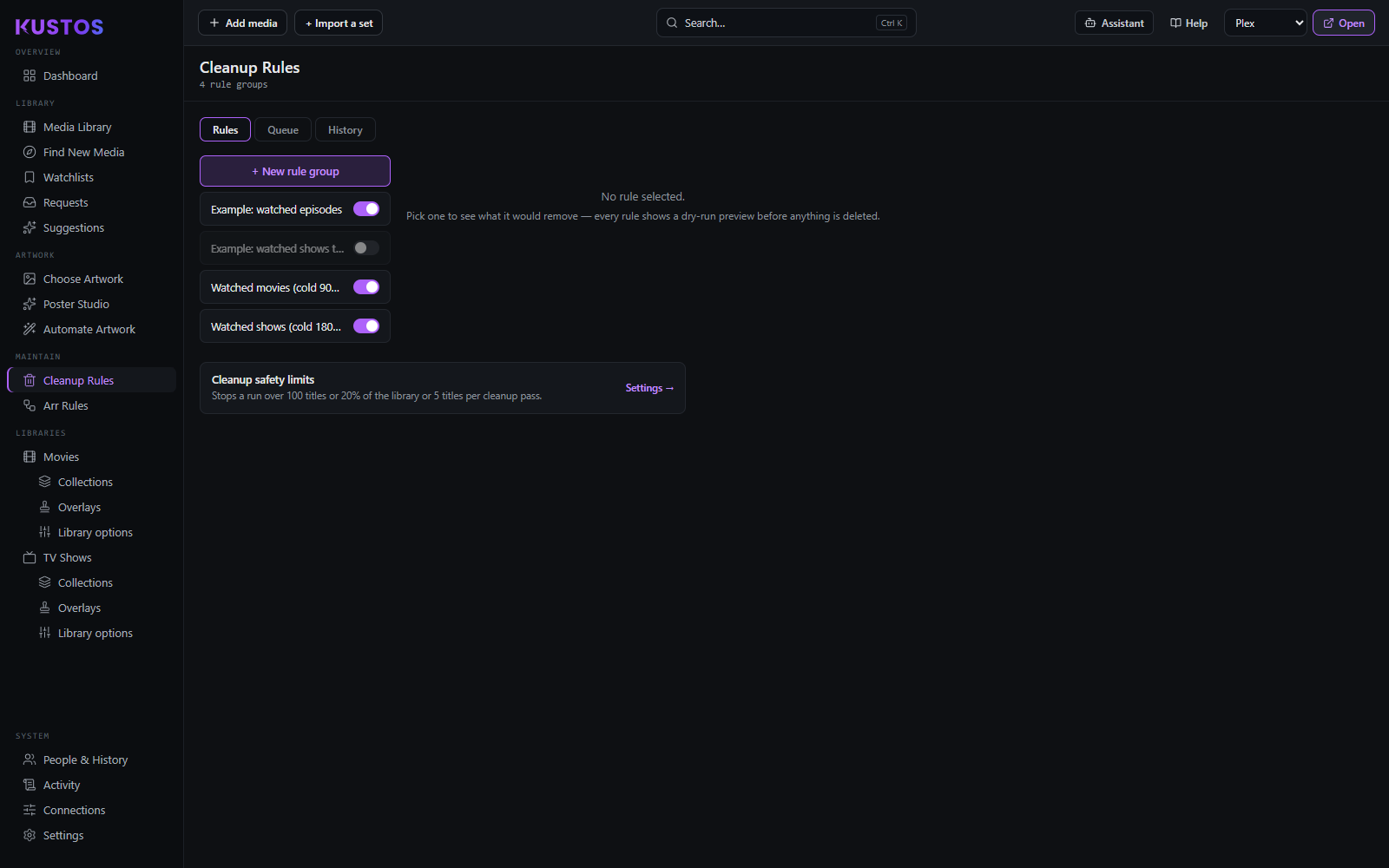
Three tabs: Rules, Queue and History.
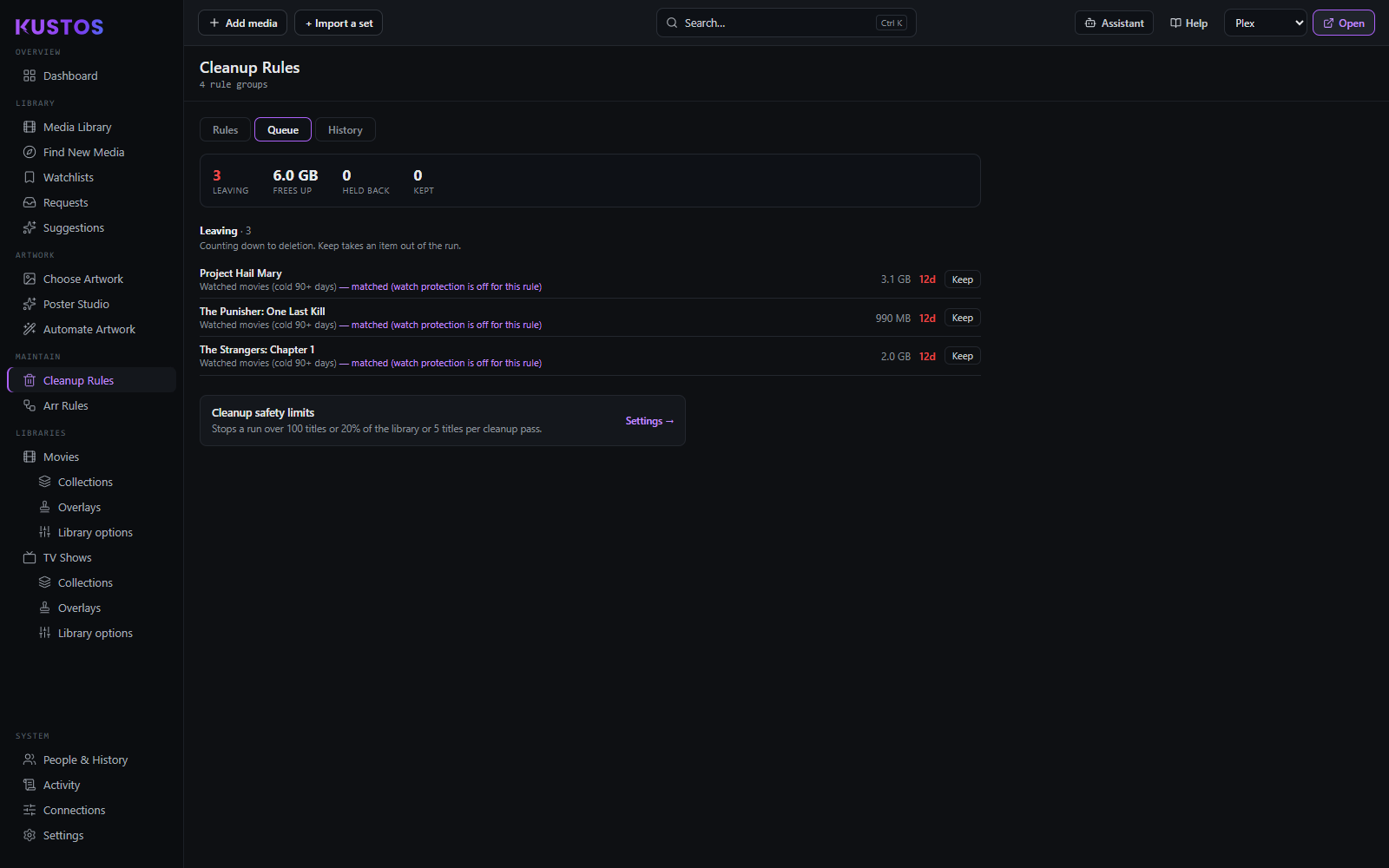
Queue is what's due to be removed, with countdowns. Kustos can build a Plex "Leaving Soon" collection from it, and there's a matching Leaving Soon Countdown overlay that re-renders daily so the number ticks down.
History is what actually went. Titles deleted in the last 24 hours and the last 7 days, with the space freed, then one line per deletion naming the episode or title, the rule that did it and why. It answers the question the queue cannot: did this rule ever actually delete anything. If rows are sitting past their date and nothing is in History, the rule is being stopped before it acts, and its badge on the Rules tab says why.
Two run buttons, and they are not the same. Run now evaluates the rule and queues what it finds. Run & delete now re-runs the rule and then deletes everything of that rule's that is still eligible, immediately — skipping the countdown entirely. See Collections & cleanup for exactly what that second one touches. Nothing pauses a countdown. A queued row that stops being deletable — it gets protected, or somebody watches it — is dropped rather than frozen, and starts over from the full Act after (days) countdown if it ever matches again. That is more warning than a paused clock, not less, but banked days are not kept. The Queue tab still has a "Held back" heading; it is permanently empty.

Being in a collection never causes a deletion. Only a title's own cleanup rules act on it.