



Overlays
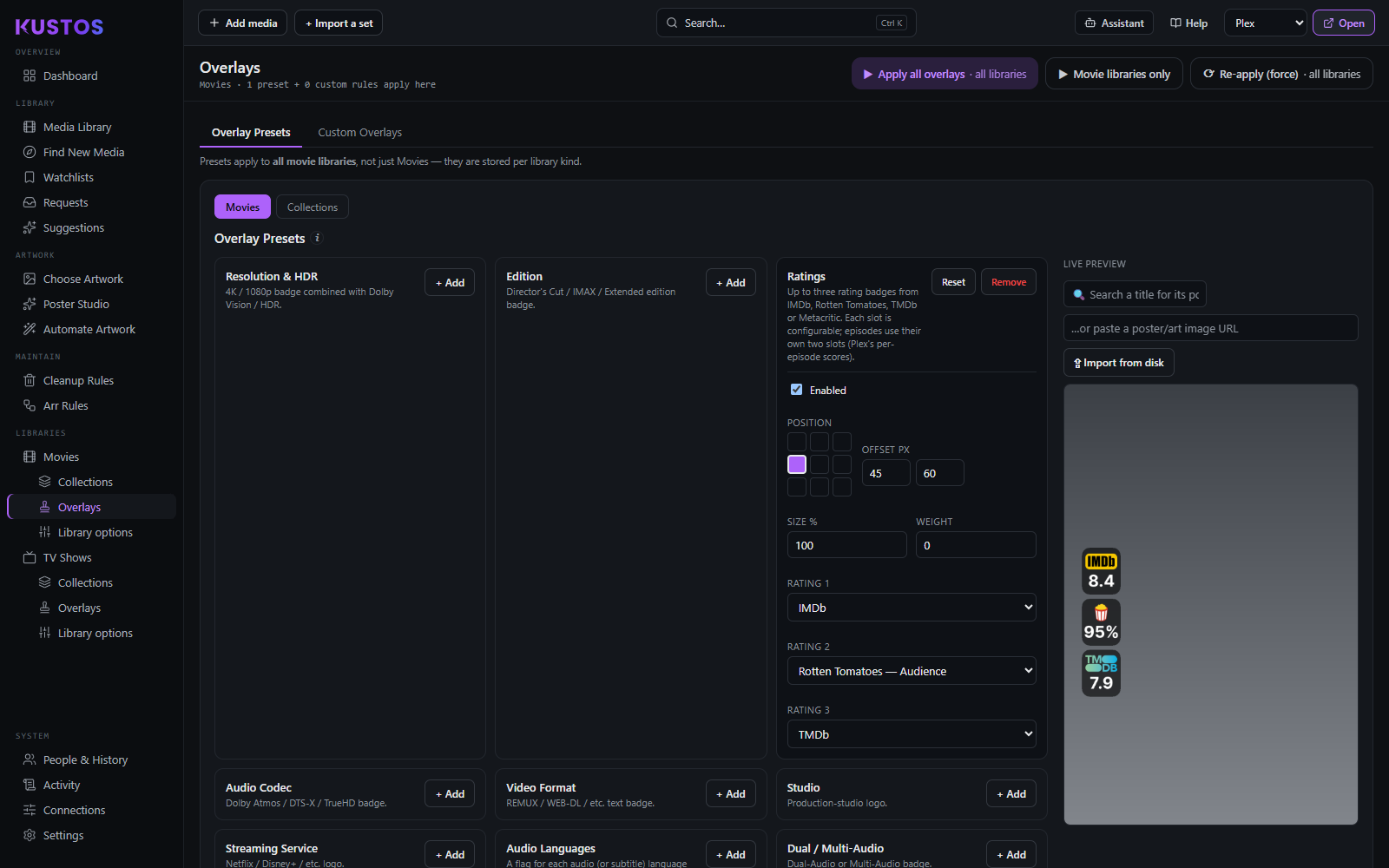
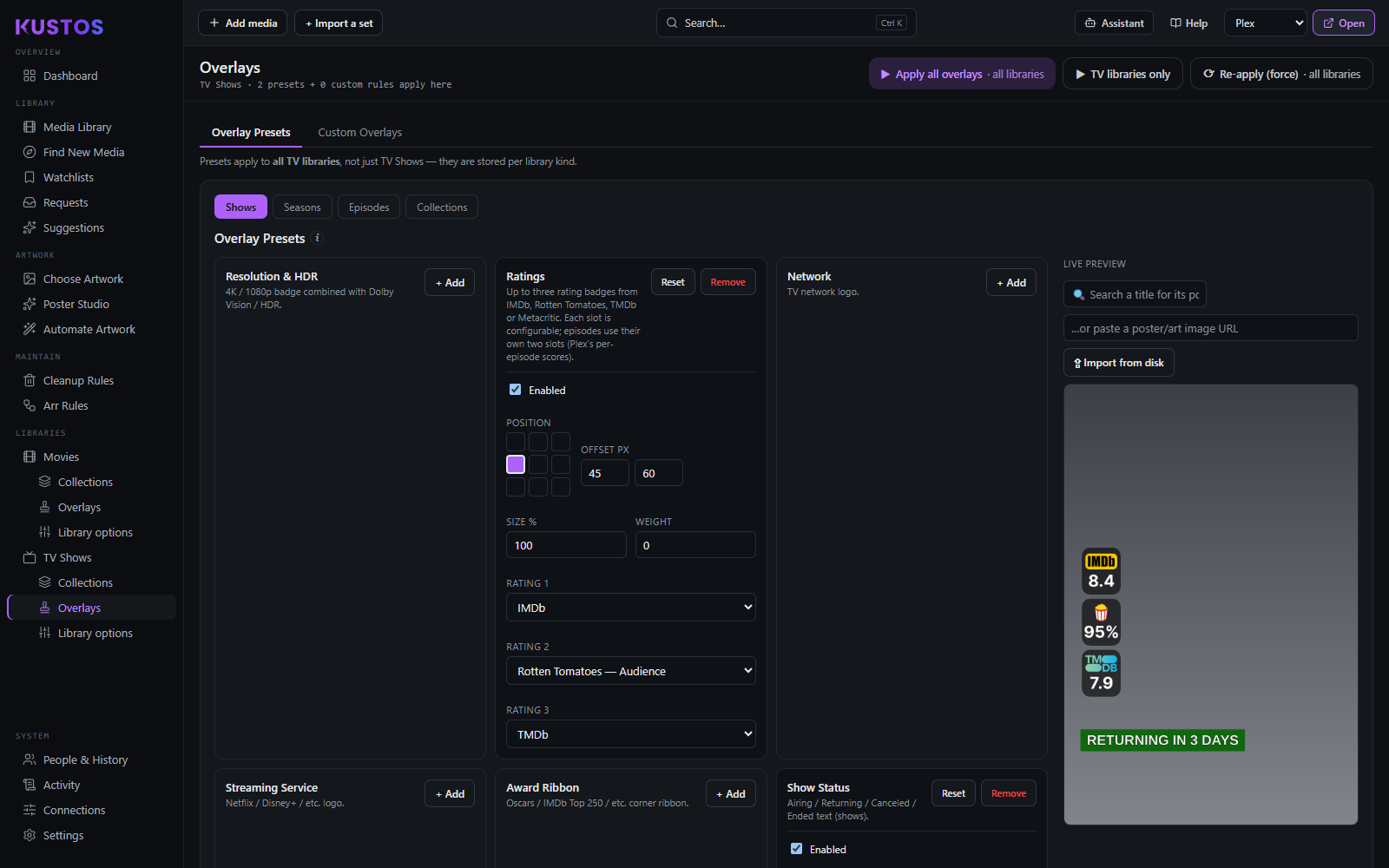
Badges stamped onto posters, configured per (library, media type) — Movies / Collections, or Shows / Seasons / Episodes / Collections. Each media-type tab is a separate configuration, and Collections only shows overlays that make sense on a grouping.
Built-in presets
| Category | Presets |
|---|---|
| Video | Resolution & HDR · Edition · Video Format |
| Audio | Audio Codec · Audio Languages · Dual / Multi-Audio |
| Ratings | Ratings (3 slots for movies/shows, 2 for episodes) |
| Source | Network · Studio · Streaming Service |
| Status | Show Status · Leaving Soon Countdown · Runtime · Multiple Versions |
| Ribbon | Award Ribbon |
| Special | After-Credits Scene |
What you can change on a preset
Most fields are blank by default, meaning "use the preset's own value". You are overriding a design that already works, not filling in a form, so change one thing at a time and watch the live preview.
The highlights are below. Every setting on every preset, including the ones peculiar to one badge, is listed on Every overlay setting — and the same sentences are the tooltips in the app, so hovering a label tells you the same thing.
Placing it
| Field | What it does |
|---|---|
| Position | Which corner or edge the badge sits on. |
| Offset px | Nudges it away from that anchor. |
| Size % | Scales the whole badge. 100 is the preset's own size. |
Text
| Field | What it does |
|---|---|
| Font | Any face from your font folders. |
| Font Size | Blank uses the default, which is 42. |
| Font Color | The text colour. |
| Outline Color / Outline Width | A stroke around the glyphs. 0 is no outline; 3 reads well over a busy poster. |
| Text Glow % | A softer alternative to a backdrop — a dark halo behind the text with no plate edges. 0 is off. |
The plate behind the text
| Field | What it does |
|---|---|
| Backdrop Color | The plate colour. Leave it blank for no plate. |
| Backdrop Opacity % | How solid the plate is. Default 60. |
| Backdrop Padding | Space between the text and the plate edge, both axes. Negative tightens. |
| Backdrop Width / Backdrop Height | Blank fits the plate to the text. Set them to force a size; negative tightens. |
| Corner Radius | 30 is rounded, 0 is square. |
| Border Color / Border Width | A line around the plate. 0 is no border. |
Which values to include. Most presets add a Use all … group — all resolutions, all dynamic-range variants, all editions, all codecs, all formats. Turn it off and tick only the ones you want, so a resolution badge can mark 4K and stay silent on everything else.
Presets with their own extra fields
| Preset | Extra |
|---|---|
| Ratings | Three rating slots for films and two for episodes, each choosing its own source. |
| Show Status | Text and colour for Airing / Returning / Canceled / Ended, set independently. |
| Streaming | A Region — US by default — since availability differs by country. |
| Several | A Style: compact or standard, color or white, standard or bigger, depending on the badge. |
Rules. Beyond presets, you can write conditional overlays on Ratings, Text (title, studio, content rating, edition, TV status, network), Tags (genre, director, writer, actor, country, label, collection), Video (resolution, HDR, Dolby Vision), Audio, Numbers (year, decade, duration, plays), Activity (unplayed, added/released/aired N days ago) and Special (after-credits scene).
Practicalities
- Overlay images download automatically the first time you apply them.
- Ratings need a rating source — several come from MDBList, so that one key unlocks Rotten Tomatoes, IMDb and Metacritic.
- Badges stack at a shared anchor and scale with the poster; a banner spans the full width and badges clear it. An uploaded image scales by its own pixels.
- The overlay run re-applies daily so time-sensitive badges (the Leaving Soon countdown) stay current.
Writing one of your own is a screen with several parts, so it has its own page: Write your first overlay rule.