



Watchlists
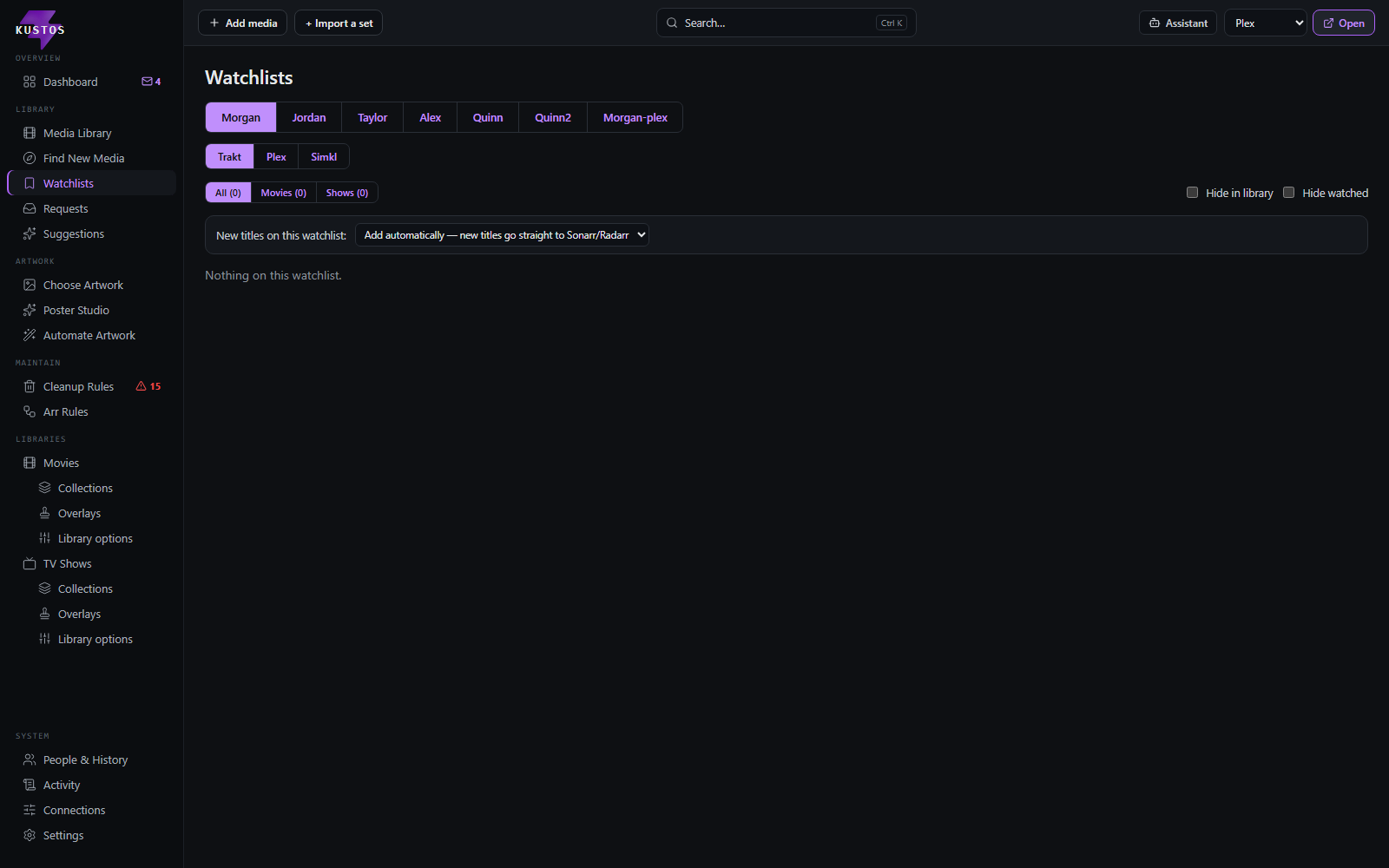
Per-person watchlists from Trakt, Plex and Simkl, merged into one screen, one tab per person. It answers "what does the household actually want" without opening three services.
Grab something off somebody's watchlist
- Open that person's tab.
- Switch service if they keep lists in more than one place.
- Filter to movies or shows if the list is long.
- Press the action on the title to hand it straight to Sonarr or Radarr.
- Set the quality profile, root folder and tags when asked.
Get somebody's watchlist to appear at all
A person's list shows here only once Kustos can read it.
- Go to People & History and open their card.
- Link their account — see Getting your keys for the Trakt flow.
- Their list appears on this screen like any other.
A public Trakt profile is view-only until the account is linked. You can record a public profile on their card and read the list, but you cannot write to it. That is a Trakt rule, not a Kustos one.
A broken link says so. It does not fail silently, so a tab that has stopped updating tells you why on the card rather than looking empty.
The two watchlist settings, and why they are not the same one
This is the pair people mix up, because both get called "the watchlist mode" and they sit on different screens. They point in opposite directions:
| New titles on this watchlist | Per-service watchlist mode | |
|---|---|---|
| Where | Watchlists, one per person | People & History, one per person per service |
| Direction | What Kustos does with titles it reads FROM their list | What Kustos writes TO their list |
| Affects | Your Sonarr / Radarr | Their Trakt / Plex / Simkl account |
| Default | Ignore watchlist | Untouched |
| Options | Ignore watchlist · Ask me first · Add automatically | Untouched · Append · Sync |
| Can it delete anything? | No. The worst case is a download you did not want | Yes — Sync removes titles from somebody else's watchlist |
New titles on this watchlist — what happens when they add something:
| Option | What happens |
|---|---|
| Ignore watchlist (default) | Nothing. Kustos still shows the list; it just does not act on it |
| Ask me first | New titles land in Requests for you to approve |
| Add automatically | New titles go straight to Sonarr / Radarr with no stop in between |
Per-service watchlist mode — what Kustos writes back, per service:
| Option | What happens |
|---|---|
| Untouched (default) | Read only. Kustos never writes to this watchlist |
| Append | From now on, a title they add on another service is added here too. Nothing is ever removed. Titles already on their other lists when you turn it on are not copied over |
| Sync | The same, and a title they remove from another service is removed here too. This deletes entries from somebody else's watchlist. The first run only records the lists and changes nothing |
Untouched is not "off" in the sense of a task being off. The watchlist_sync scheduled task ships enabled and simply does nothing while every service is Untouched — so changing one dropdown here is the whole action, and there is no second switch to remember. The same is true of "Add automatically": it is the only auto-add route, not one of two.
**The one that costs downloads is Add automatically; the one that costs somebody else's data is Sync.** Neither has an undo.